Lockboxy is an iPhone and iPad app that keeps photos, files and passwords in a private, encrypted vault — along with videos, notes, bank cards and private contacts. Everything is encrypted with AES-256 on the device before it is written to disk, and there is no account to sign in to.
Every image below was captured straight from the running app with sample data — no mockups, no retouching.
ONE CODE, ONE WAY IN
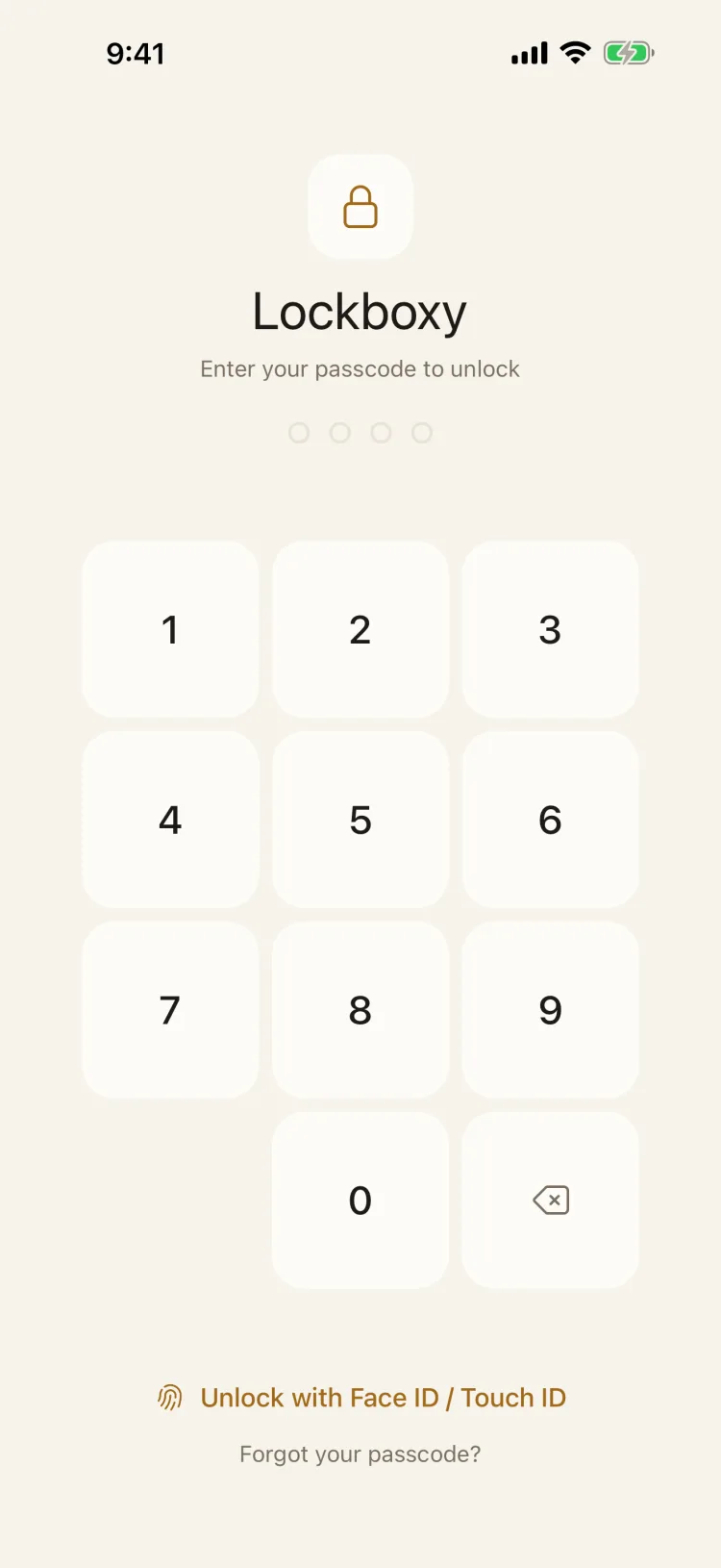
It opens on a lock screen
Lockboxy always starts on the passcode screen. There is no account and no password stored on a server — only the code you set yourself.
Face ID / Touch ID just re-enters your real passcode
Wrong attempts in a row wait longer each time, from 1 second up to 2 minutes
8 PRIVATE AREAS
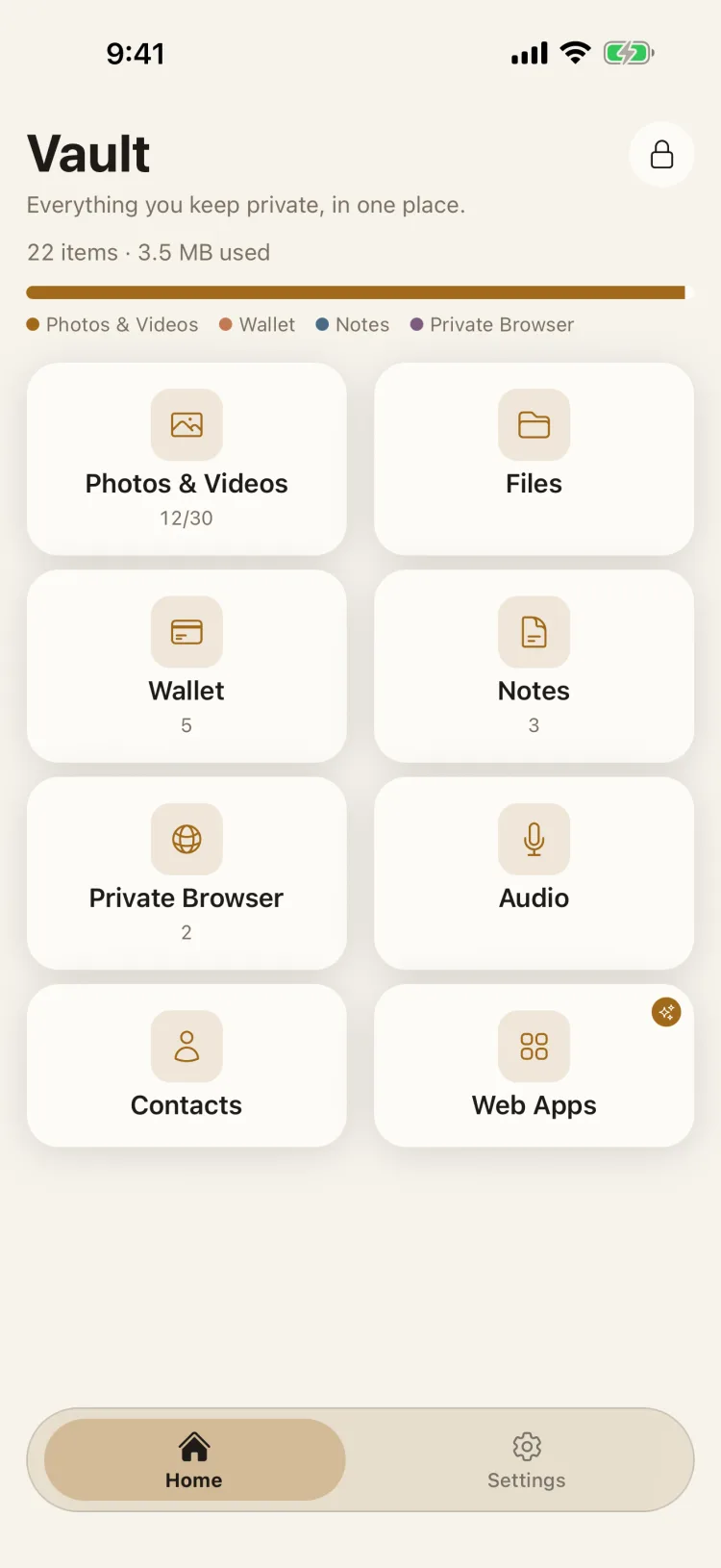
Everything private, in one place
Photos & videos, files, wallet, notes, browser, audio, contacts and web shortcuts — each area encrypted on its own, with a storage bar that shows what you keep.
Metadata like file names and titles is encrypted too
Lock the vault instantly with one tap
PHOTOS & VIDEOS
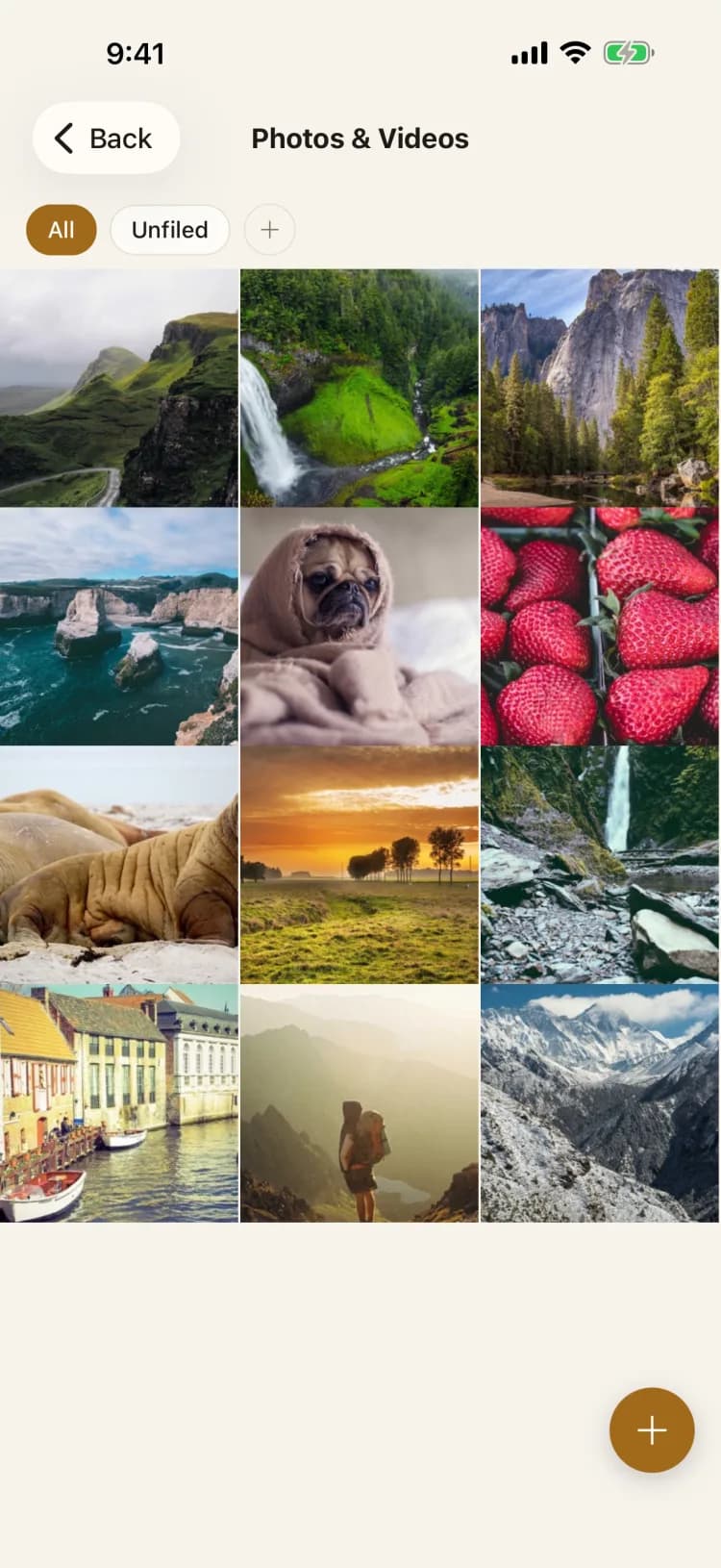
Move photos and videos out of the shared library
Pick from your library, shoot straight from the in-app camera, or share in from any app. Every photo is encrypted with AES-256 on the device before it is written to storage.
Optionally delete the originals from your library after hiding them
Organise with folders and view everything inside the vault
CAMERA SHORTCUT · NEW
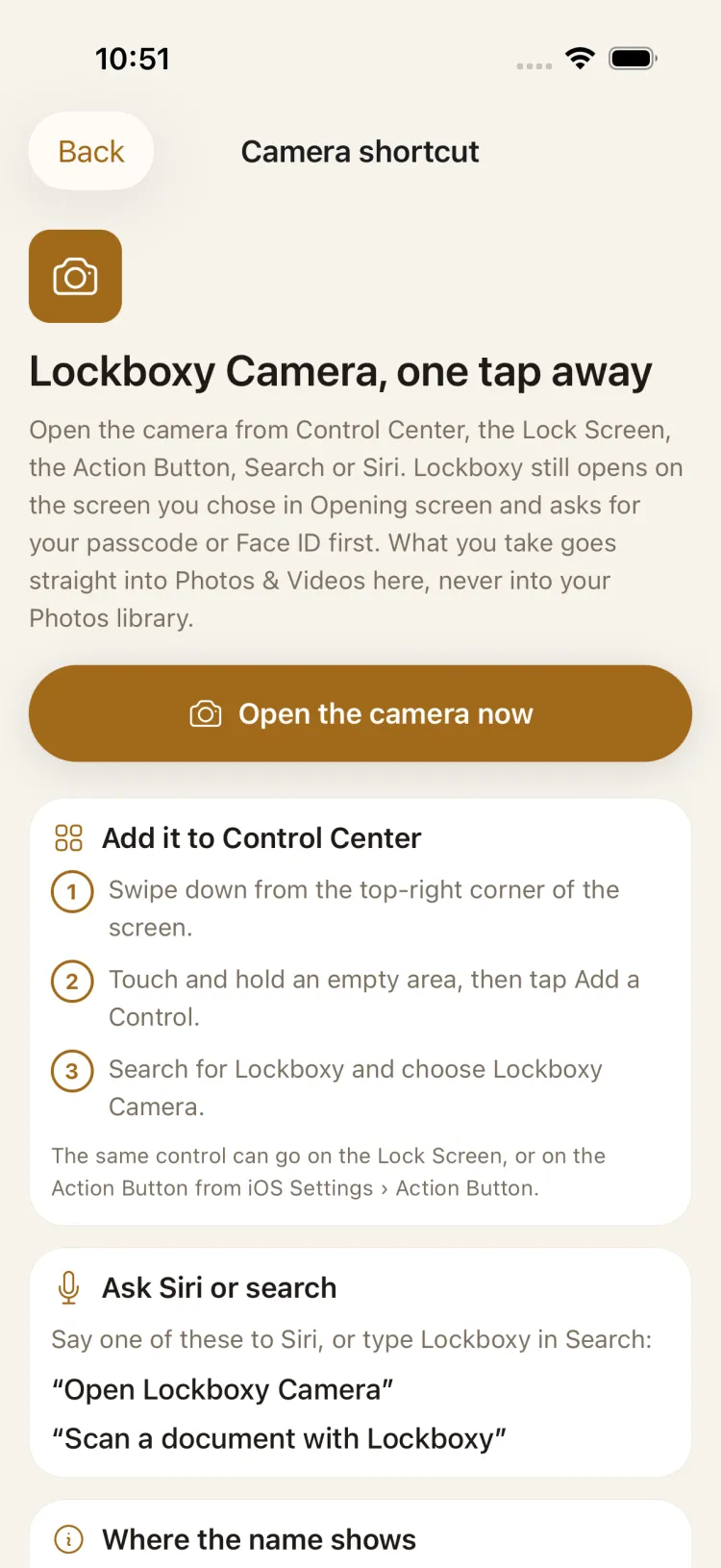
The camera, one tap away — your passcode still first
Add Lockboxy Camera to Control Center, the Lock Screen or the Action Button, or open it from Siri or Search. Lockboxy opens on its lock screen and asks for your passcode or Face ID; only then does the camera open.
What you take goes straight into Photos & Videos, never into your Photos library
On iPhone: Siri and Search from iOS 16, the Control Center control from iOS 18
SLIDESHOW · NEW
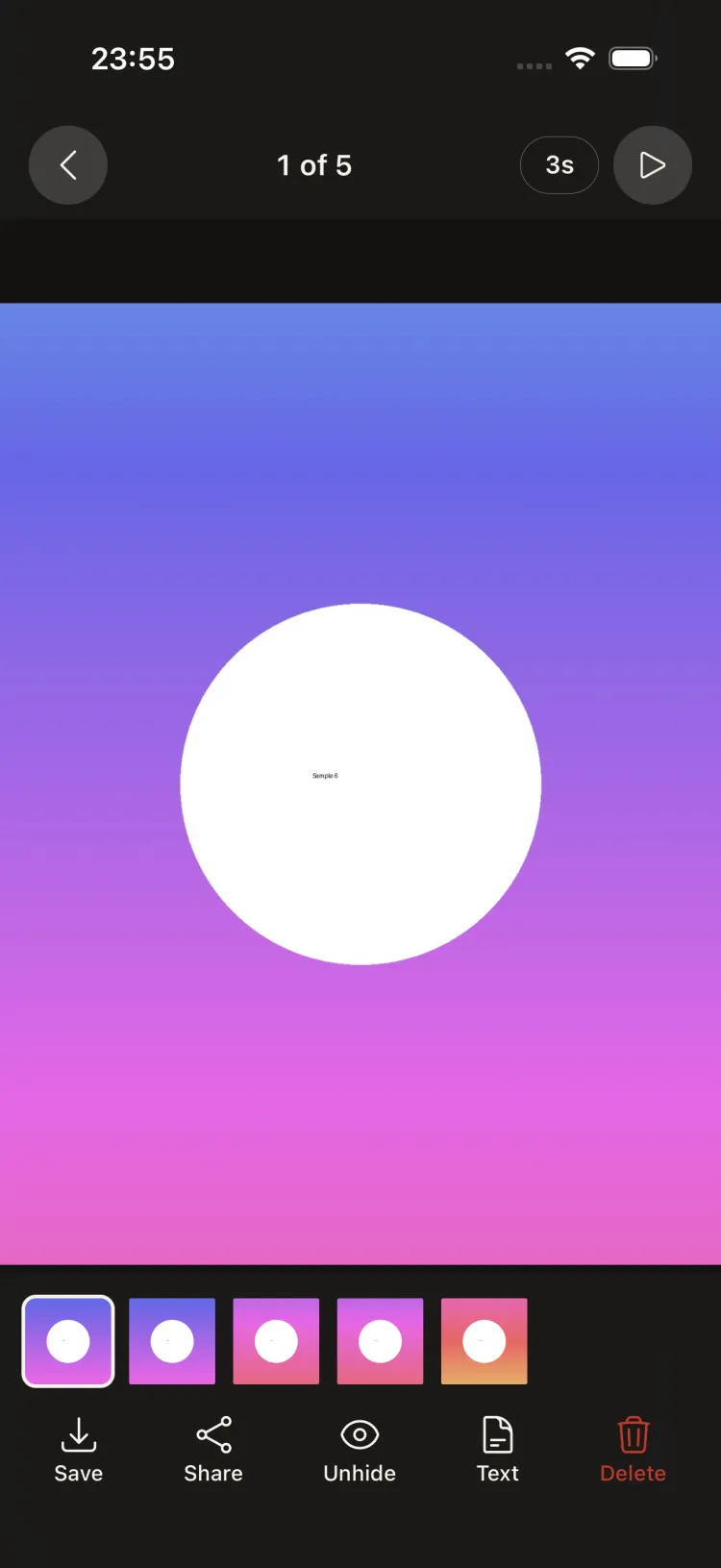
Play an album as a slideshow
Tap Play in the viewer or above the grid. Photos change every 2, 3, 5 or 8 seconds, each video plays through to its end, and on iPhone the screen stays awake while it runs. Tap anywhere to stop.
The header shows where you are — “3 of 12”
Pinch to zoom a photo up to 4×, on iPhone
SORTING · NEW
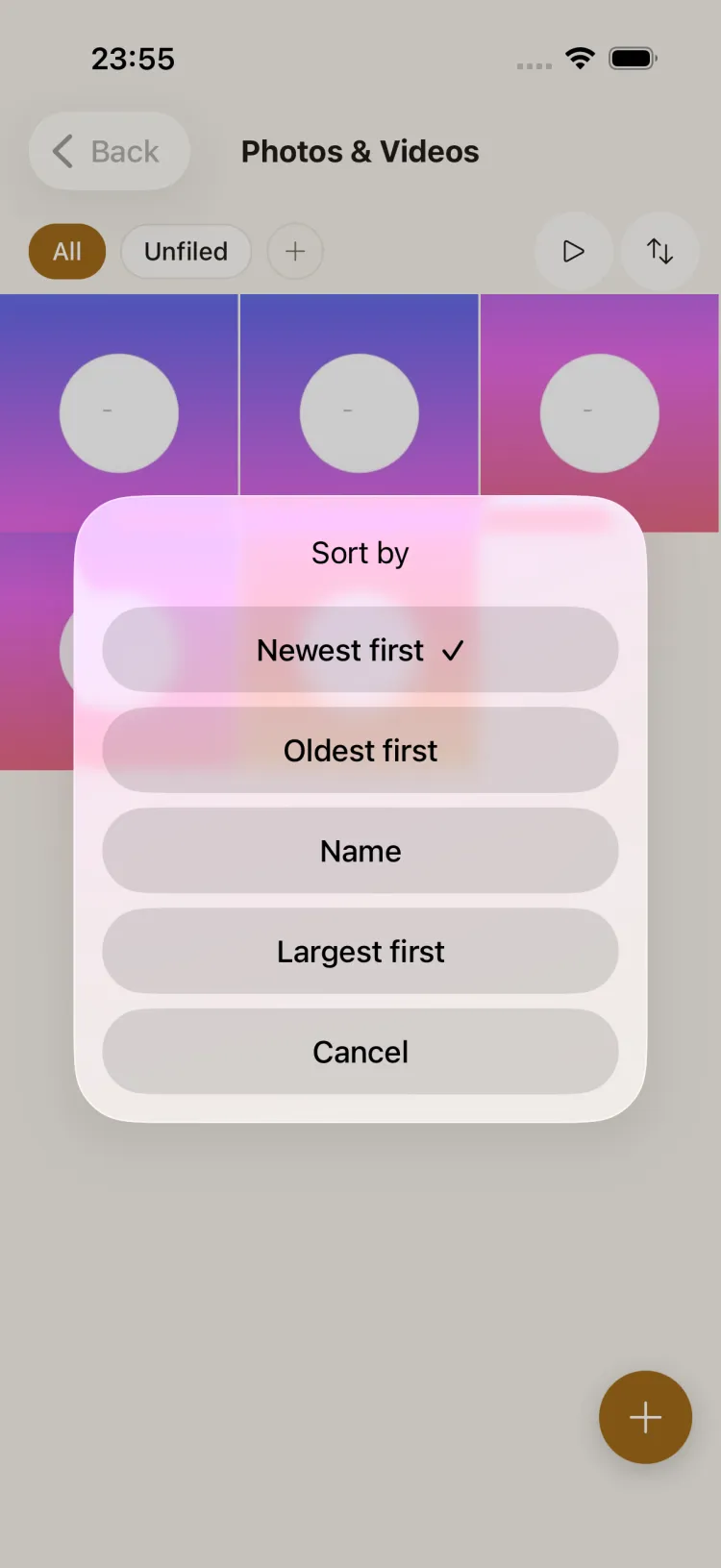
Sort by date, name or size
Newest first, oldest first, by name or largest first — from the button beside the folders. Lockboxy remembers your choice, and the viewer and the slideshow follow the same order.
Names sort the way you read them: photo 2 comes before photo 10
Free, like the slideshow and the camera shortcut
SHARE TO VAULT
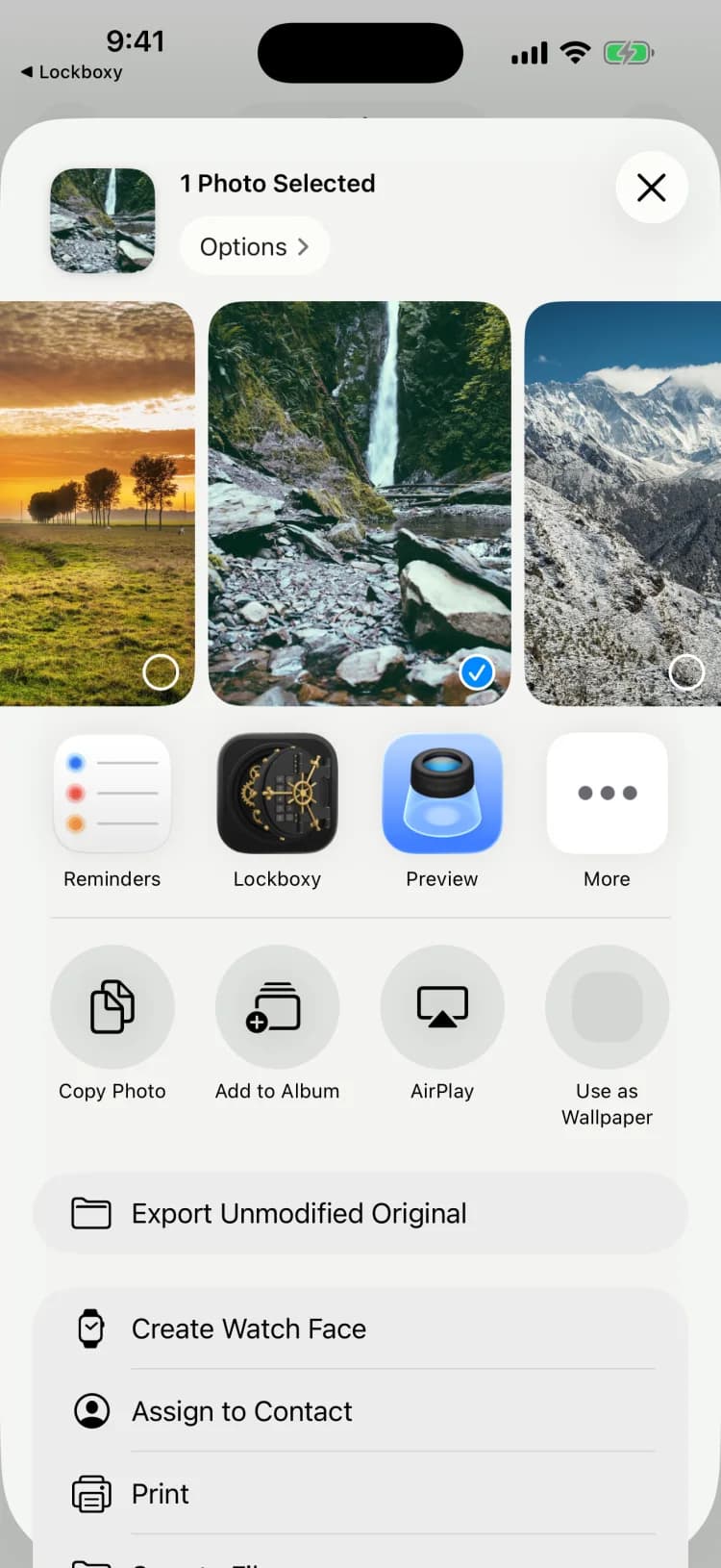
Send it to the vault from any app
Lockboxy appears in the system Share Sheet, so a photo, video or document goes straight from Photos, Files or a chat app into the encrypted vault.
Works from any app that can share
Sharing photos in needs no Photos permission
FILES
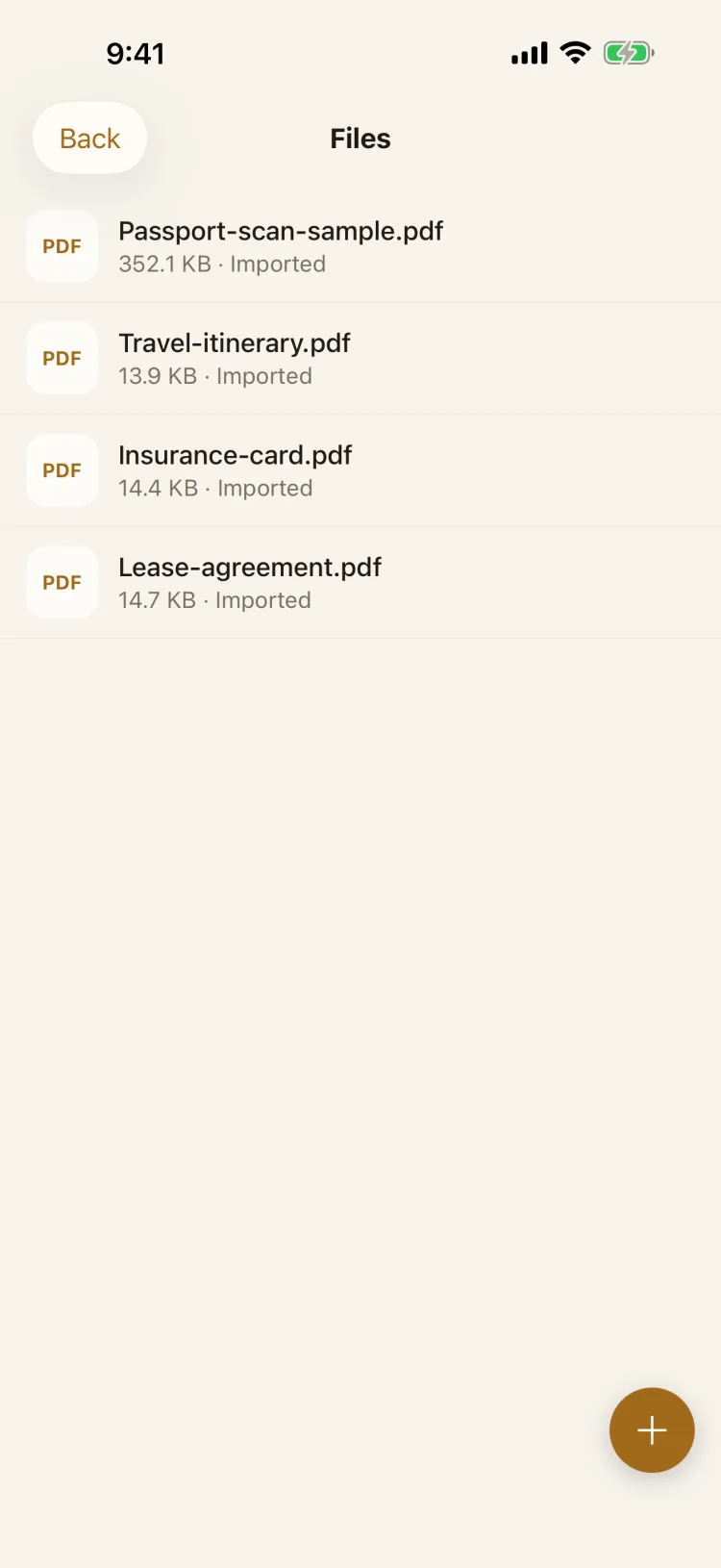
Contracts, ID scans and PDFs, locked away
Import any file type from the Files picker or the Share Sheet. Each document is encrypted on the device, and you can preview PDFs, images and text without ever leaving the vault.
Any file type, with its name encrypted too
Built-in preview for PDFs, images and text
SECURE WALLET
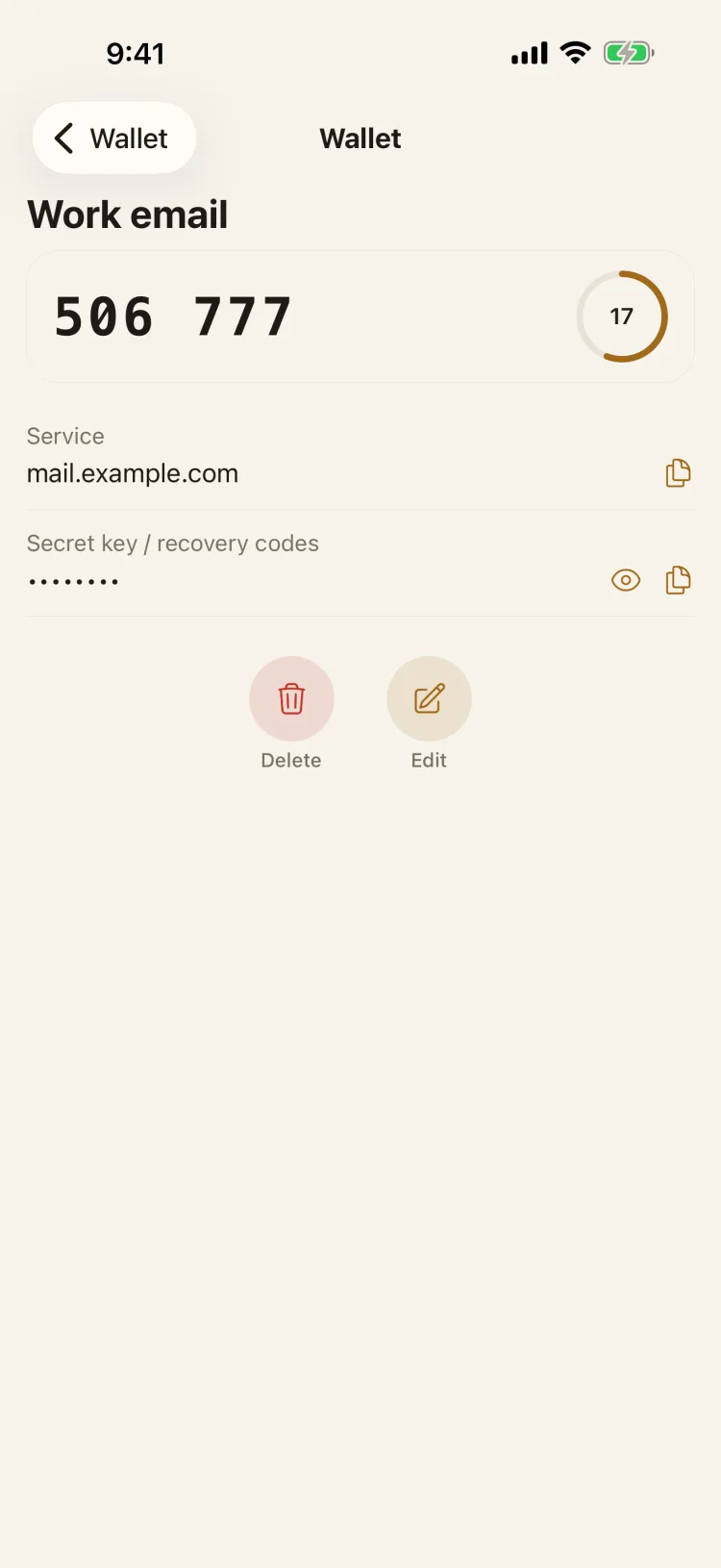
Cards, passwords and 2FA codes together
Keep bank cards, accounts & passwords, Wi-Fi and seed phrases — and generate two-factor codes right inside the vault, no separate authenticator app needed.
Rolling 6-digit 2FA codes with a live countdown ring
Every field encrypted on its own and hidden until you tap to reveal
PRIVATE NOTES
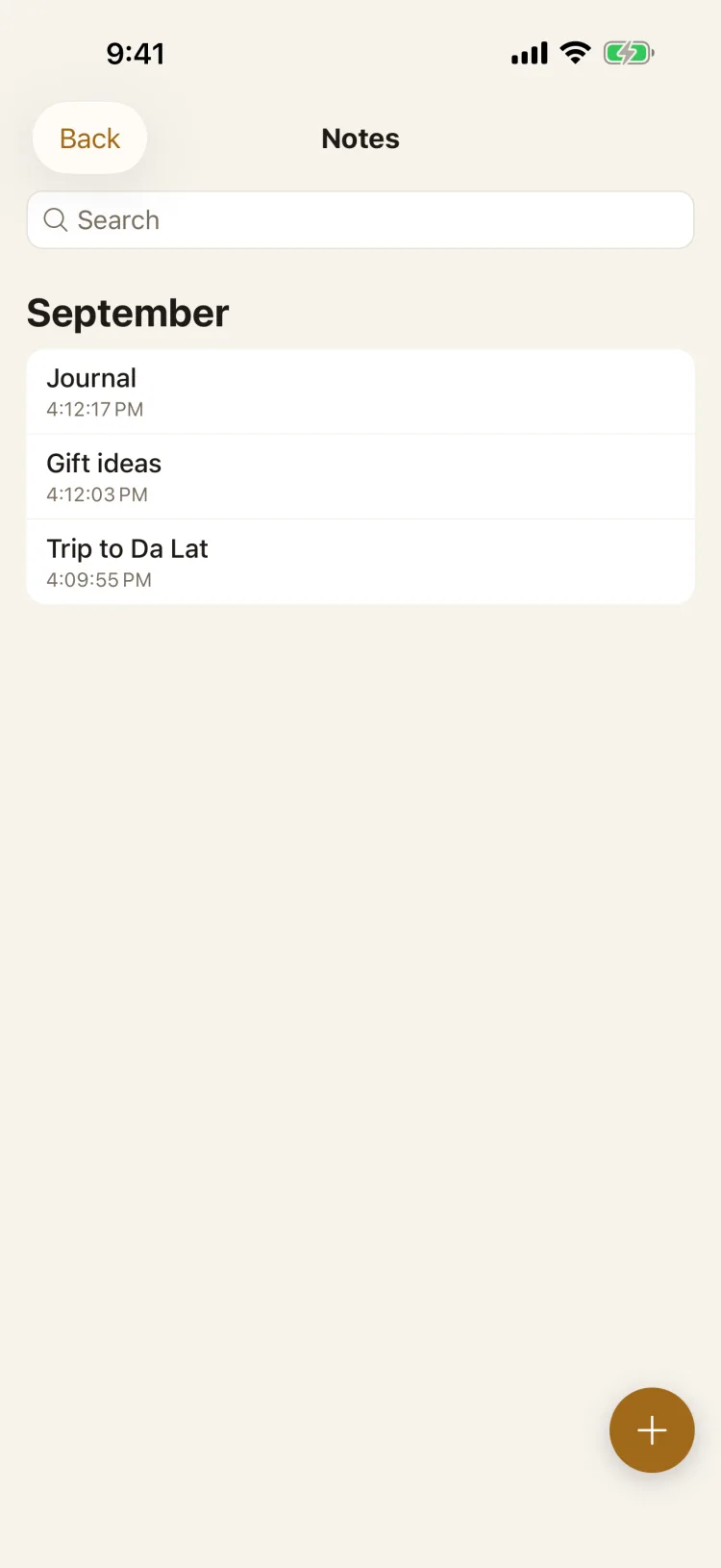
A journal only you can read
Notes save as you type, group by month and are searchable by their contents — all inside the encrypted vault.
No account and no server of ours in between
Search works inside your encrypted notes
PRIVATE BROWSER
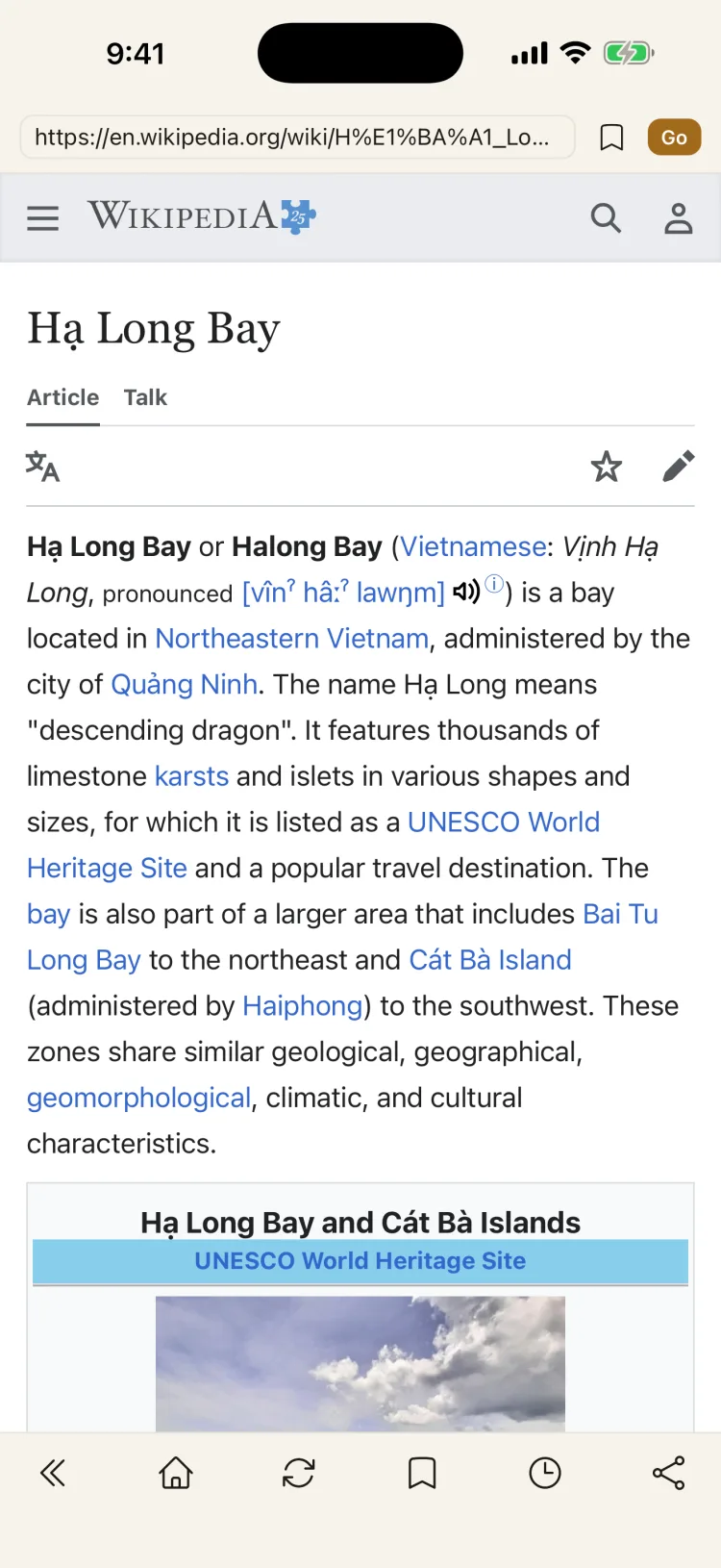
Browse without leaving a trail
A web browser inside the vault. History, bookmarks and cookies are kept in the encrypted area, and files you download go straight into the vault.
History and cookies never touch the regular browser
Bookmarks and quick links for the sites you use
AUDIO
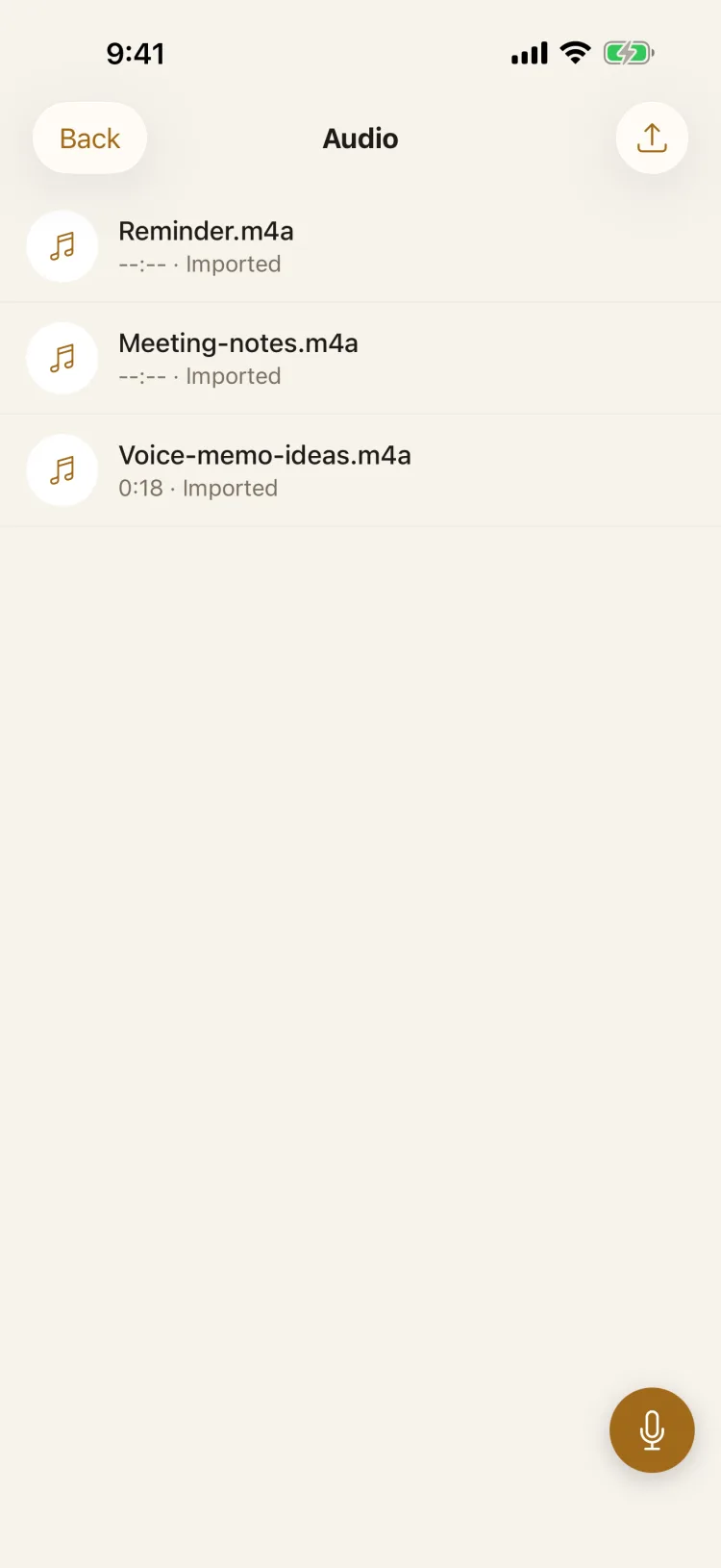
Voice memos that stay yours
Record straight into the vault, import existing audio files, or share them in from any app — every recording is encrypted before it is saved.
One-tap recorder inside the vault
Import audio from Files or the Share Sheet
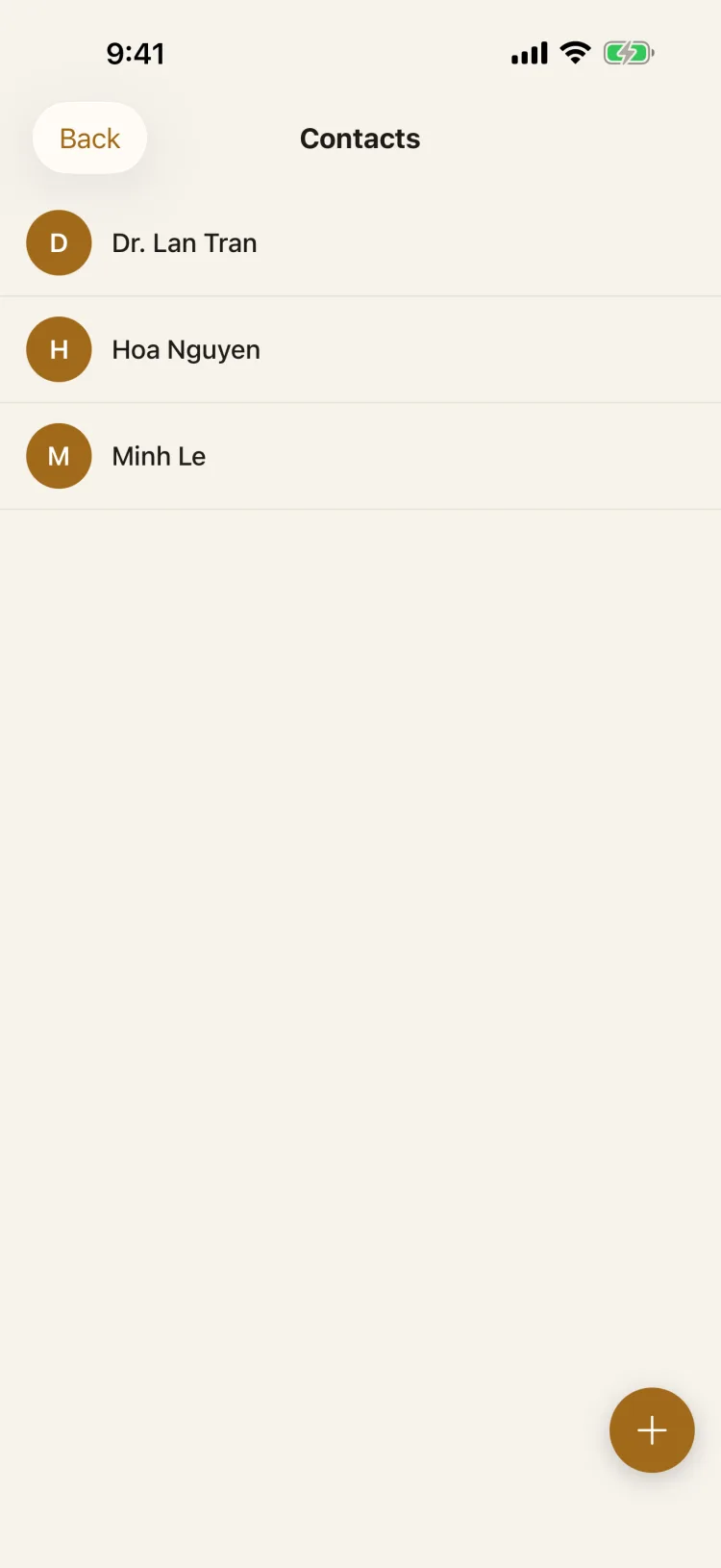
PRIVATE CONTACTS
Contacts kept apart from your address book
Save sensitive contacts — with phone numbers, emails and notes — somewhere they never sync into your phone's regular contacts.
Multiple numbers and emails per contact
Never mixed into the system address book
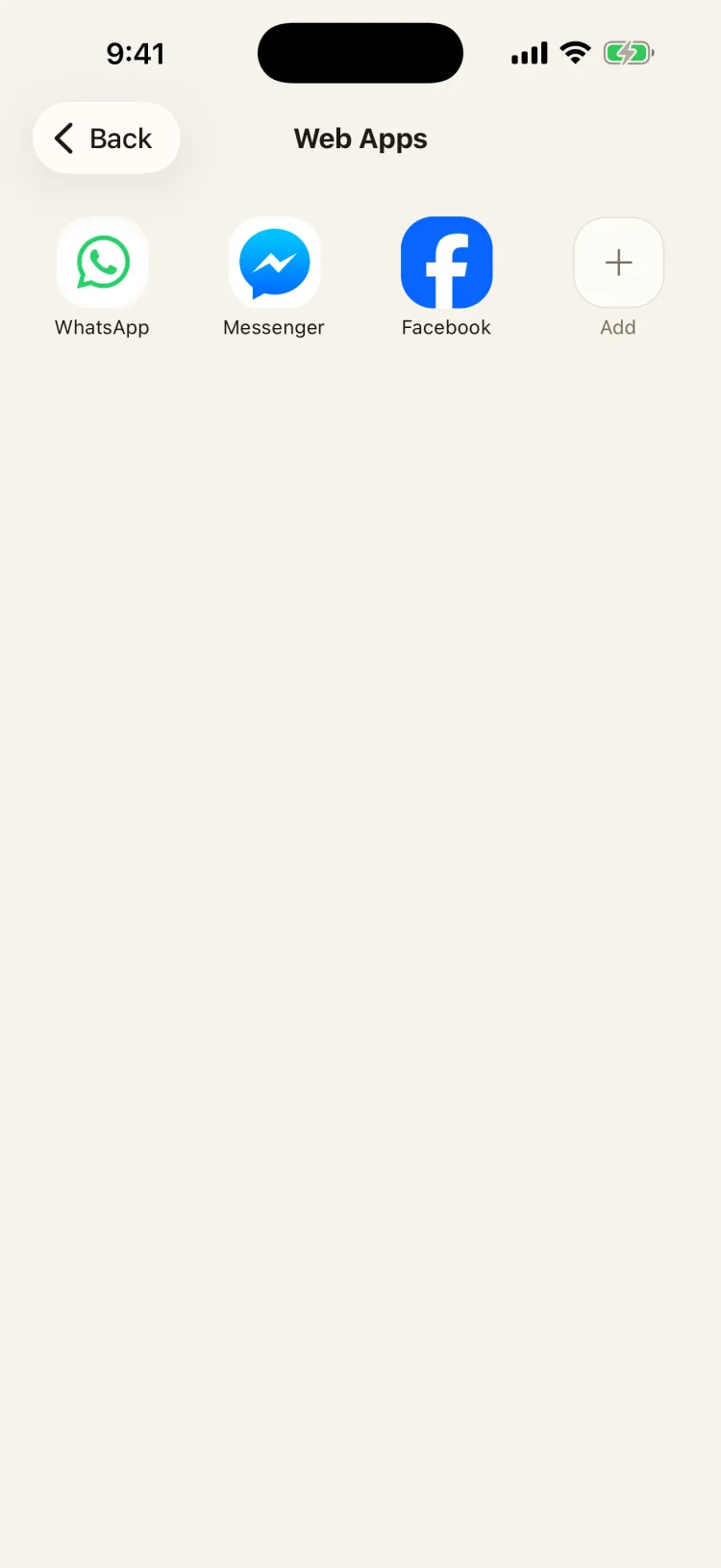
WEB SHORTCUTS · PREMIUM
Your chats, opened inside the vault
Pin WhatsApp Web, Messenger, Facebook or any site you like and open it inside the vault, with its session kept in the encrypted area.
These are web shortcuts, not clones of the original apps
Add your own shortcut for any website
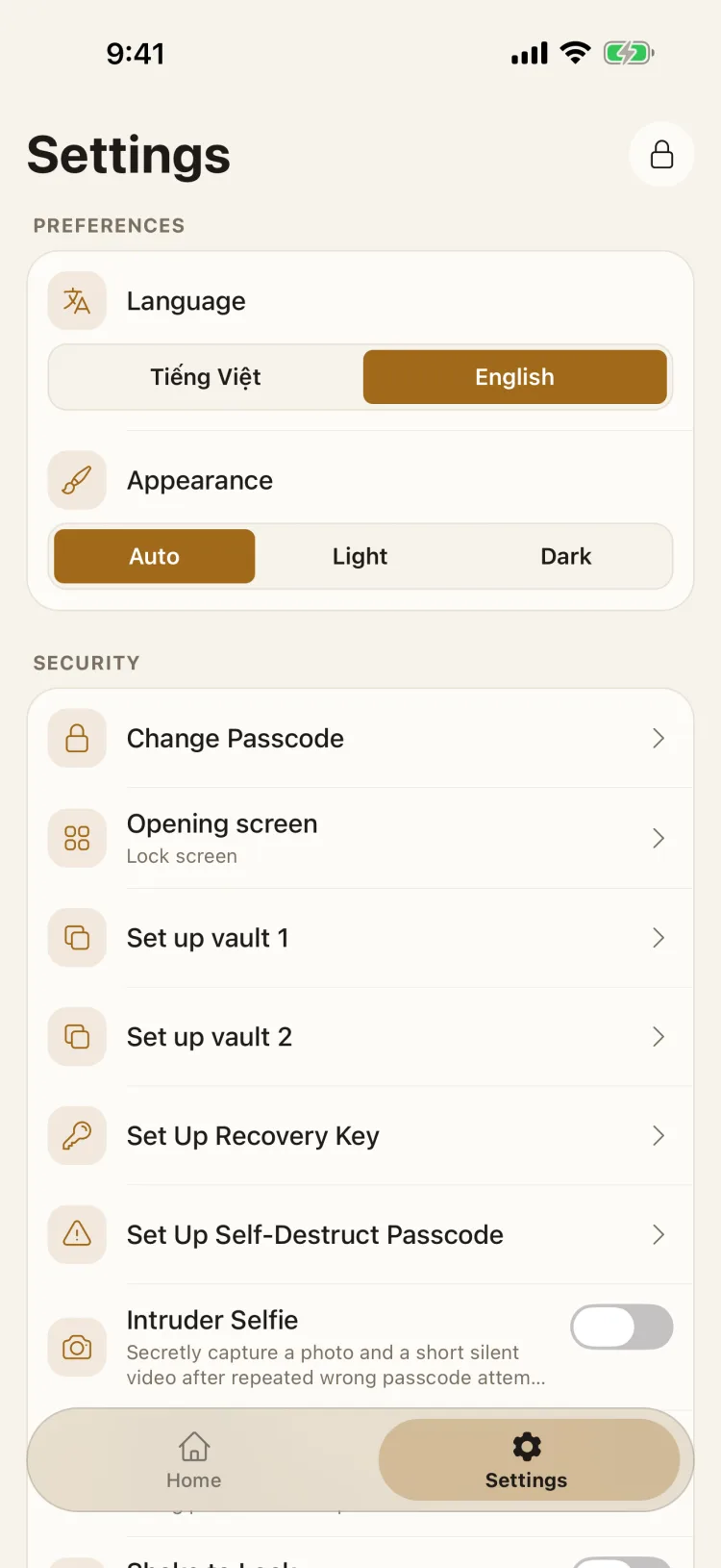
SECURITY, YOUR WAY
You decide how the vault defends itself
Change your passcode, create a Recovery Key, a self-destruct passcode or intruder selfies — every protection lives in Settings, on or off as you choose.
Self-destruct passcode, Recovery Key and Intruder Selfie are Premium
Light / Dark appearance and a Vietnamese–English interface
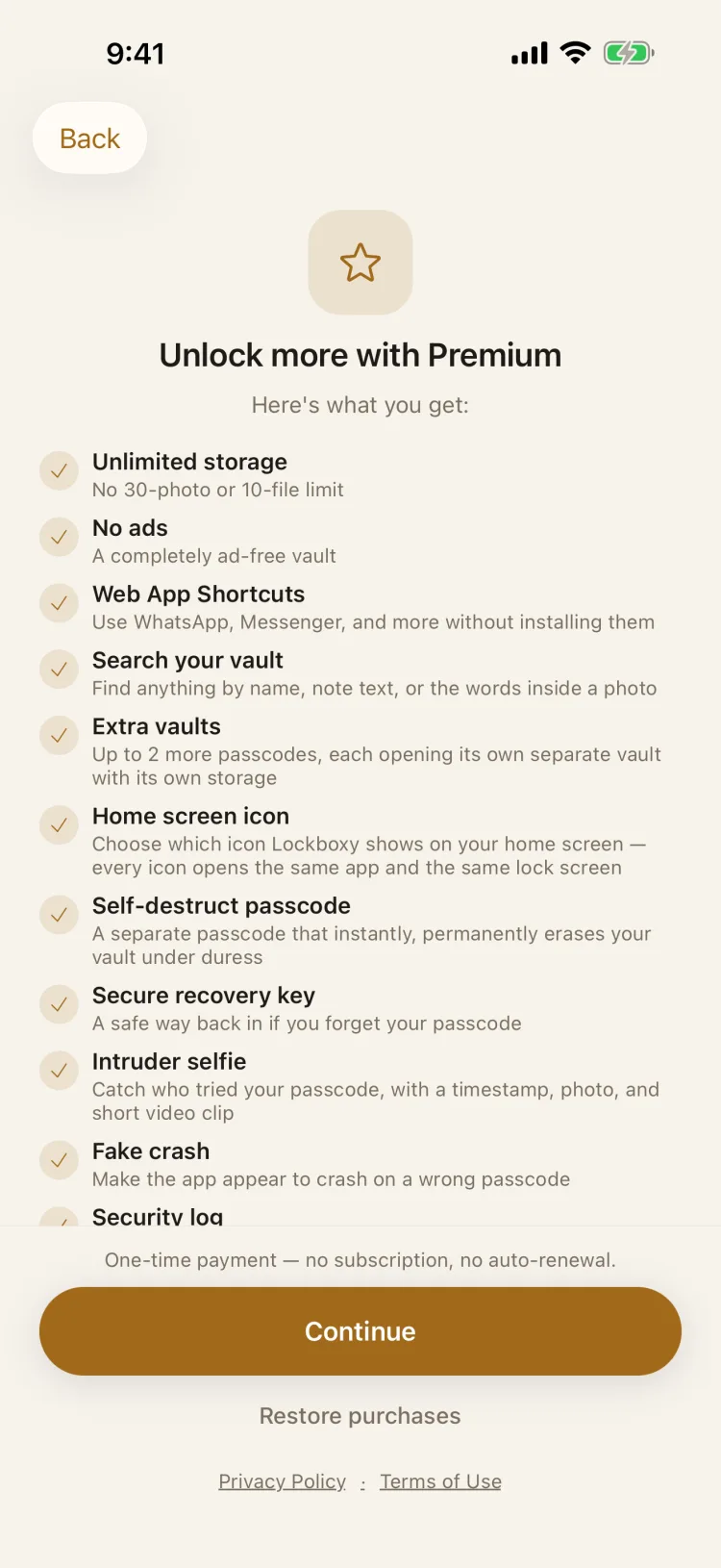
PREMIUM
Unlock the whole toolkit
Premium removes the free storage limits and ads, and adds web shortcuts, vault search, extra vaults, the self-destruct passcode, a Recovery Key and intruder selfies.
Web shortcuts open sites like WhatsApp Web inside the vault — they are shortcuts, not clones of the apps
Every price and renewal term is shown on this screen before you buy
We hide nothing from you
Lockboxy opens on a lock screen and asks for your passcode. That is the whole entrance: one code, one vault.
There is no account to create and no server holding a copy. The vault lives on this device, and a backup only exists when you export an encrypted file yourself and choose where it goes — your own iCloud Drive, Files or another device.
Everything you put inside is encrypted with AES-256 on the device before it touches storage. The key is derived from your passcode, which we never receive and never store — so the vault is unreadable to anyone who does not know the code, including us.
Deliberately upfront
We say this plainly everywhere — on the App Store, on this page, and on the lock screen itself: Lockboxy is a private vault. If you forget your passcode and have not set up a Recovery Key, nobody can open it, and that includes us.
8 AREAS INSIDE THE VAULT
Everything private, in one vault
Each area is encrypted independently — photos, files, notes, passwords, even metadata like file names.
01
Photos & Videos
Hide directly from the camera, your library, or the Share Sheet, or turn on Auto-Hide Screenshots to sweep new ones in automatically — camera captures never pass through the Photos app. Play an album as a slideshow, or sort it by date, name or size.
Bank cards, passwords, WiFi, a live 2FA code generator, crypto seed phrases — every field encrypted individually, plus breach checks for saved passwords.
Point the camera at an ID card, a receipt or a letter. Lockboxy finds the edges and straightens each page, then saves it into Files as one PDF or as images, encrypted.
A title is suggested from the text, which is read on this device only. On iPhone.
Discover
See everything Lockboxy can do, with a preview of each feature and a “Try it” link. Premium features are marked, and you can preview them before deciding.
Premium
Backup reminders
Choose weekly, every two weeks or monthly. The notification only says a backup is due — never what is in the app.
Part of Premium, alongside encrypted backup.
Tips at the right moment
Short hints when they help, such as turning on Face ID after your first import. Close one and it won’t come back.
THE ENCRYPTION PIPELINE
From your passcode to a key nobody else holds
Every unlock goes through these exact 5 steps — no shortcuts.
1
Your secret passcode
Set by you — any length, and it never leaves your device.
2
Argon2id
Your passcode is hashed with Argon2id and a unique salt, resistant to brute-force attacks.
3
Master Key
A 256-bit key that exists only in memory, and is never written to disk.
4
Wrapping the data key (DEK)
The Master Key unwraps a random DEK — changing your passcode only re-wraps the DEK, never re-encrypts your files.
5
AES-256-GCM
Every file is encrypted in chunks, with a fresh nonce for every write.
More layers of defense
Self-destruct passcode
A second passcode instantly and permanently erases your vault the moment it's entered — no confirmation, no undo.
Increasing lockout delay
Each wrong passcode in a row makes the next attempt wait longer — from 1 second up to 2 minutes — a silent defense against anyone trying to guess their way in.
Intruder selfie
After 4 wrong attempts, the front camera silently captures a photo, a short video and the time — never uploaded anywhere.
Face ID / Touch ID
A safe shortcut — it just re-feeds your real passcode, never a side door around it.
Screenshot blocking
The vault automatically hides its content from screenshots and the app switcher.
No backdoor
Forgetting your passcode means permanent data loss — there's no “security question” to bypass it. Premium includes a one-time Recovery Key as your only sanctioned fallback.
PRICING
Free to start. Pay once to keep it forever.
No hidden renewal traps — every term is shown clearly on the purchase screen itself.
No — and that's intentional. The encryption key is derived from your passcode; we never store it and never receive it. There's no reset. Premium users can generate a Recovery Key in advance as a fallback.
Can anyone tell what is inside the vault without the passcode?
No. Everything is stored encrypted, including thumbnails and file names, and the key only exists while the vault is unlocked. Without the passcode there is nothing readable on disk.
What happens if someone keeps guessing my passcode?
Each wrong attempt makes the next one wait longer, up to a couple of minutes. Premium can also take an intruder photo and video on a failed attempt, and log every try with a timestamp.
Can I share photos, videos, files, or audio into the vault from other apps?
Yes — select item(s) in Photos, Files, Voice Memos, or any other app, tap Share, then choose Lockboxy. They are saved encrypted and waiting in Media, Files, or Audio the next time you open the vault — no need to open Lockboxy first. iOS only for now; Android support is planned.
Can the camera shortcut open Lockboxy without my passcode?
No. Lockboxy Camera in Control Center, on the Lock Screen or the Action Button, and the Siri phrase only open Lockboxy on its lock screen. The camera opens after you enter your passcode or use Face ID, and a request left for more than five minutes is dropped. Photos you take go into Photos & Videos, not into your Photos library.
Are the web shortcuts real clones of WhatsApp or Messenger?
No. They're shortcuts that open the web version of those services inside the vault's private browser — not clones of the original apps.
Is any of my data sent to a server?
No — your vault content never leaves your device, and there is no account. The only exception is feedback you choose to send through the in-app form (never vault content); see the Privacy Policy.
Does it need an internet connection?
No. The vault itself works fully offline. A connection is only needed for the private browser or web shortcuts.
Does Premium come with ads?
No — Premium removes ads entirely. The free plan shows occasional ads, only inside the unlocked vault: an interstitial when you lock the vault, after a batch import or after a slideshow (at most once every 4 minutes, none in the first 2 days), and optional rewarded ads to unlock extra free storage slots or try a Premium feature for 24 hours.
Is this the same Lockboxy as Tekvo's, or a physical lockbox?
No — those are three different things that share a name. This Lockboxy is a mobile app for iOS and Android, published on the App Store as “Lockboxy: Secret Photo Vault” and built by independent Vietnamese developer Đào Văn Thương. Lockboxy by Tekvo is an unrelated data-security platform for Notion. A “lockbox” in everyday use is a metal key-storage box — also unrelated.
Start protecting what's actually yours
Get Lockboxy today — setting your first passcode takes under a minute.