
Lockboxy vs the iPhone Hidden album: which should you use?
Published October 1, 2026
If nobody else knows your iPhone passcode and you mainly want a few photos out of your Library, the built-in Hidden album is enough: it is free, already on your phone, locked with Face ID and synced through iCloud. A separate vault such as Lockboxy makes sense when someone may know or guess your phone's passcode, or when you want photos, documents and passwords behind one passcode of their own.
This page compares the two side by side, honestly — including where the Hidden album is the better choice.
What does the Hidden album actually do?
The Hidden album is part of the Photos app. Hiding a photo removes it from your Library, Memories, Featured Photos and widgets, and puts it in one album under Utilities. Since iOS 16 that album opens only after Face ID, Touch ID or your iPhone passcode, and you can turn off Show Hidden Album in Settings → Apps → Photos so the album is not listed at all.
Hidden photos stay in the same photo library. They are protected by the iPhone's own data protection like everything else on the phone, and if you use iCloud Photos they sync — still hidden — to your iPad and Mac. Step-by-step instructions are in how to hide photos on iPhone.
What does Lockboxy do differently?
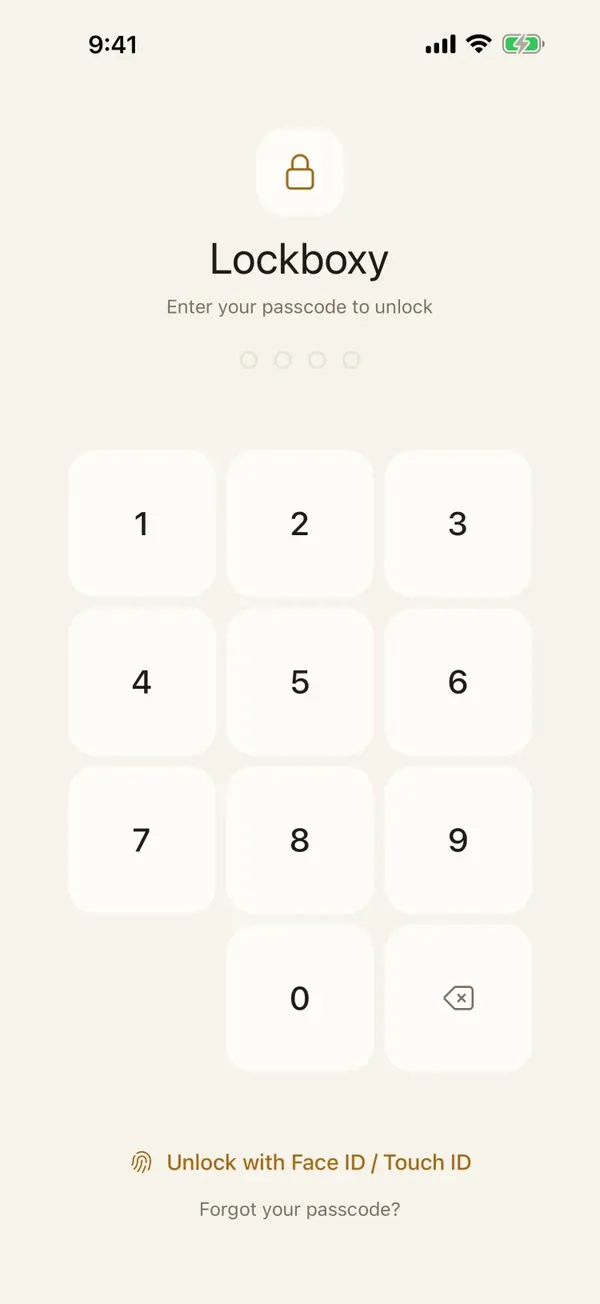
Lockboxy is a separate app with its own passcode. Photos and videos you move into it are encrypted with AES-256-GCM on the device, using a key derived from that passcode with Argon2id. There is no account and no server for vault content.
The key difference is the passcode. The Hidden album accepts your iPhone passcode as a fallback for Face ID, so anyone who knows that code can open it. Lockboxy's passcode is a different one, so knowing the phone's code is not enough.
How do they compare, feature by feature?
| iPhone Hidden album | Lockboxy | |
|---|---|---|
| Cost | Free, built into iOS | Free plan up to 30 photos/videos and 10 files; Premium removes the limits |
| Passcode | Face ID, Touch ID or the iPhone passcode | Its own passcode; Face ID or Touch ID as an optional shortcut |
| Someone who knows your iPhone passcode | Can open it | Cannot open it without the Lockboxy passcode |
| Encryption | The iPhone's data protection; iCloud Photos is encrypted by Apple | AES-256-GCM per file, key derived from your own passcode |
| Sync to iPad and Mac | Yes, through iCloud Photos | No automatic sync; encrypted backup and Wi-Fi transfer are Premium |
| What it holds | Photos and videos | Photos, videos, files, notes, passwords and cards, audio, contacts |
| Forgotten passcode | Erase the iPhone and restore; photos come back from iCloud Photos or a backup | Content cannot be recovered unless you made a Recovery Key (Premium) |
| Ads | None | Occasional ads inside the unlocked vault on the free plan; none on Premium |
When is the Hidden album the better choice?
It is better more often than vault apps like to admit:
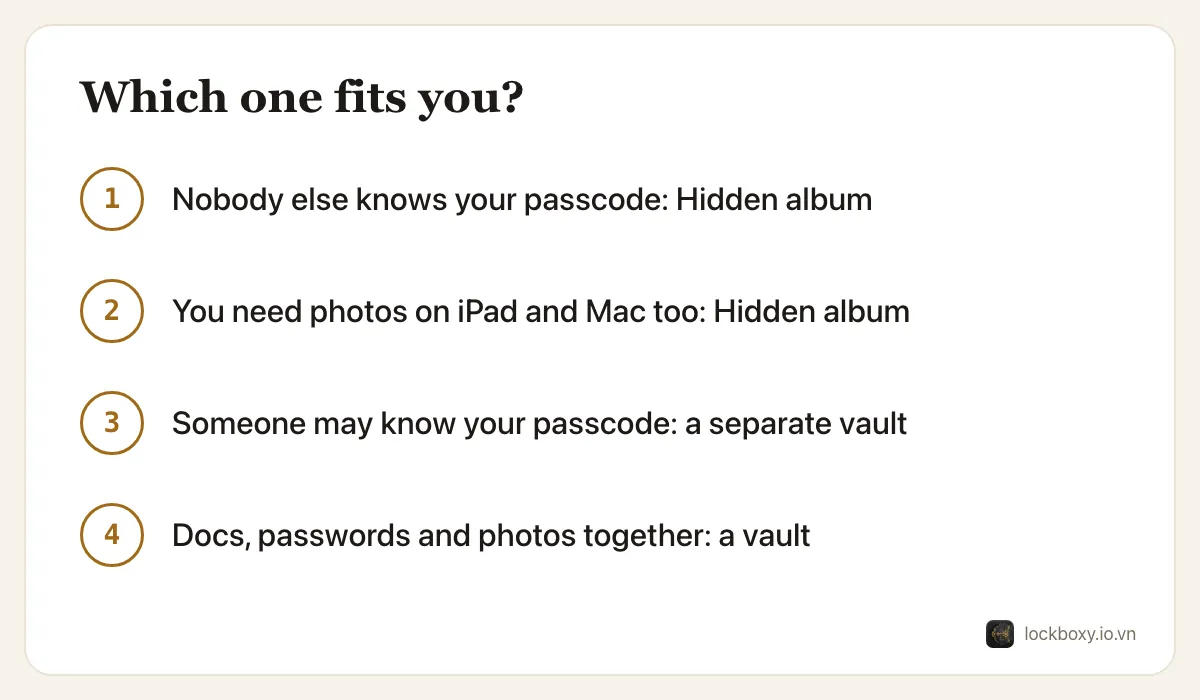
- You are the only person who knows your iPhone passcode, and you use a 6-digit or alphanumeric code.
- You want the photos on every Apple device you own, kept in sync without thinking about it.
- You want Apple to handle recovery: if you forget your passcode, your Apple Account still gets you back to iCloud Photos.
- You only need to tidy a handful of photos out of the Library, not protect documents or passwords.
When does a separate vault make more sense?
- Someone around you knows or could guess your iPhone passcode — a family member who uses your phone, a colleague who watched you type it, a repair shop that asked for it.
- You keep things beyond photos that belong together: scans of ID cards, contracts, passwords, 2FA codes, voice memos.
- You do not want the content in iCloud at all, or you prefer that nobody, including the app maker, can open it without your passcode.
- You want photos taken for a specific purpose — a receipt, a document — to never land in the Photos app in the first place.
What do both of them leave behind?
Neither one removes copies you made elsewhere. Before relying on either, check:
- Recently Deleted, which keeps removed photos for up to 30 days — see how to permanently delete photos on iPhone.
- The chat app the photo came from, which often keeps its own copy of received media.
- Shared albums, a Shared Library, and any other backup app you use.
With Lockboxy, after importing from your library you can choose to remove the originals; iOS shows its own confirmation before anything is deleted. With the Hidden album, the photo stays in the library by design.
Can I try both before deciding?
Yes, and it costs nothing:
- 1Hide a few photos with the Hidden album, then check Settings → Apps → Photos and make sure Use Face ID is on.
- 2Install Lockboxy, set a passcode that is different from your iPhone's, and import a few photos on the free plan.
- 3Live with both for a week. If you never worried about who knows your phone's passcode, stay with the Hidden album.
Where Lockboxy helps
Lockboxy is built for the cases the Hidden album does not cover: a passcode separate from the phone's, AES-256 encryption on the device, and one place for photos, files, notes and the Wallet. It also hides its content from screenshots and the app switcher, and locks as soon as you leave the app.
The honest trade-off is recovery. Because the key comes from your passcode, a forgotten passcode means the content is gone unless you created a Recovery Key (Premium) beforehand, and without an encrypted backup the vault exists only on that one phone. More answers are in the Lockboxy FAQ, and a similar comparison for notes is Lockboxy vs locked notes.
Want a private place with its own passcode?
Lockboxy encrypts photos, videos, files and notes on your device, behind a passcode separate from your phone's. No account, no server.
Get Lockboxy on the App StoreMore guides
- How to hide photos on iPhone (and what “hidden” really protects)
- Lockboxy vs locked notes on iPhone: which is better for private notes?
- How to permanently delete photos on iPhone (and every copy you forgot)
- How to lock apps on iPhone: Face ID lock, hidden apps and older-iOS workarounds
- How to store photos of your ID safely on your phone
- How to lock notes on iPhone with a password or Face ID
- How to store passwords safely on your phone
- How to lend your iPhone without exposing your photos
- How to store a seed phrase safely (and what not to do)
- What to do before sending your iPhone for repair
- How to take photos that don't save to your iPhone camera roll
- How to scan documents on iPhone (no app needed) and store them safely
- How to store 2FA backup codes safely (and where not to)
- How to handle sensitive screenshots on iPhone (bank transfers, OTPs, IDs)
- How to keep voice recordings private on iPhone
- How to stop iPhone photos syncing to your iPad and Mac
- What to do when your iPhone is lost or stolen
- How to erase your iPhone before selling it
- Phone privacy for livestream sellers: keep customer data off the stream
- Keeping client documents private: a phone routine for real-estate agents
Questions about how Lockboxy works? Read the FAQ