
How to hide contacts on iPhone: what really works
Published October 2, 2026
To hide a contact on iPhone, know first that the Contacts app has no “hide” or “lock” option for one person: anyone who opens Contacts can see everyone in it. What you can do is mute how that person shows up (notification previews, Recents) or move their details out of Contacts into a separate, locked place such as a Lockboxy vault.
People usually want this for ordinary reasons: a doctor or lawyer, a surprise gift, a family number they would rather not show on a shared screen. Below are the built-in steps, what they leave behind, and how to keep the details out of the address book entirely.
Can you hide a contact on iPhone?
Not in the way you can hide a photo. iOS lets you hide photos in the Hidden album and lock notes with a password, but at the time of writing it has no switch that hides or locks a single contact in the Contacts app. Two things follow from that:
- Anything you do inside Contacts changes how the person is labelled, not whether they can be found. Search, the Phone app and Messages will still use the saved name.
- To really keep a number out of sight, it has to be somewhere other than the Contacts app, and that place needs its own lock.
How do I keep a contact off my screen with built-in settings?
These steps do not lock anything, but they cut down the moments when a name pops up in front of someone else:
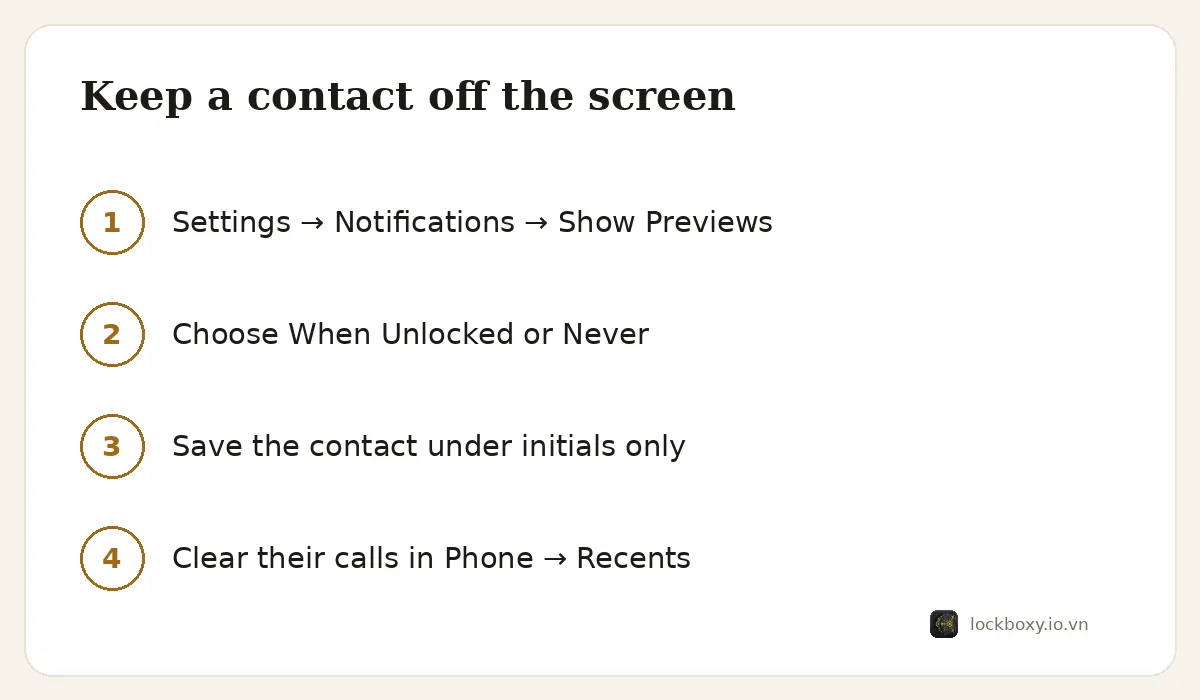
- 1Open Settings → Notifications → Show Previews and choose When Unlocked or Never. A message from that person then no longer shows its text, and with the phone locked, it is harder for someone nearby to read it.
- 2Save the contact under initials or a short label only you understand, instead of a full name and photo. Edit the contact and remove the picture too.
- 3After a call or chat, open Phone → Recents and swipe left on the entry to delete it. Do the same for the conversation in Messages.
- 4Check Settings → Privacy & Security → Contacts. Apps listed there with the switch on, such as chat apps, can read your address book. Turn it off for any app that does not need it.
What do those settings still leave behind?
Before relying on them, know the limits:
- The contact stays in the Contacts app. Anyone who opens it and scrolls or searches can find it.
- If iCloud Contacts is on (Settings → your name → iCloud), the contact also appears on every iPad or Mac signed in to the same Apple Account. See how to stop iPhone photos syncing to your iPad and Mac for the same idea applied to photos.
- Incoming calls still show the number or label on the screen, and an unknown number is easy to look up.
- Deleting from Contacts removes the person everywhere iCloud syncs, so it is a one-way move unless you saved the details somewhere else first.
How do I keep private contacts in Lockboxy?
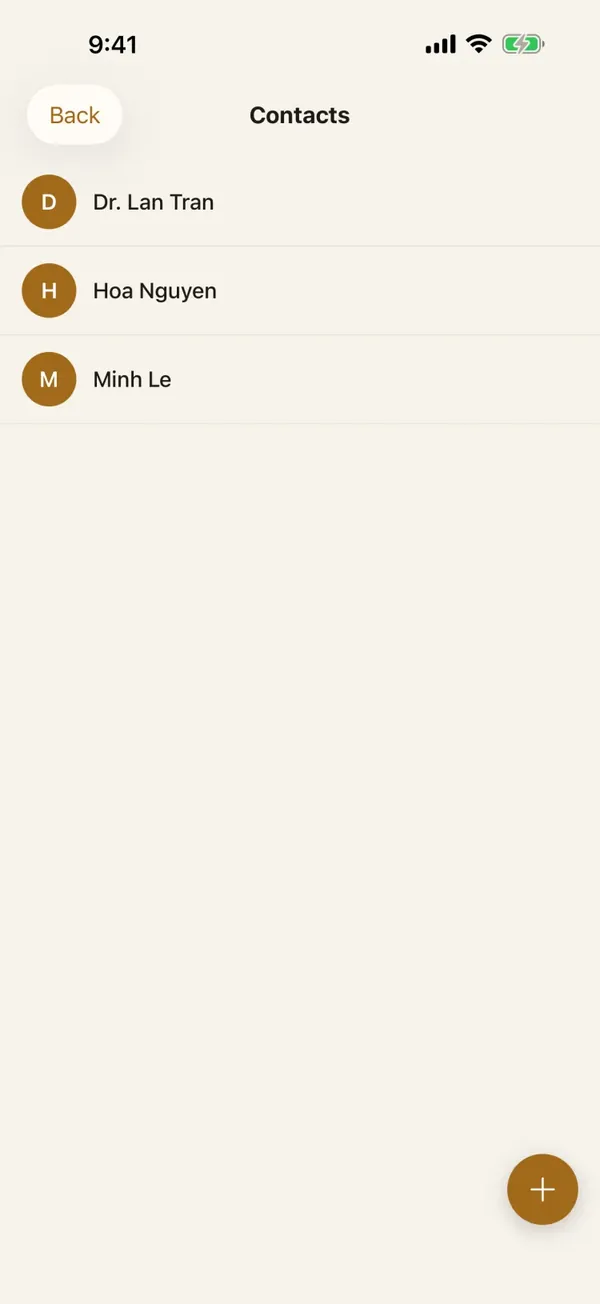
Lockboxy has a Contacts area inside its encrypted vault. It is its own small address book: it does not read your iPhone Contacts and it never asks for Contacts permission, so what you save there never appears in the Contacts app. To move one person across:
- 1Open Lockboxy and unlock it with your passcode. Lockboxy opens to its own lock screen by default; if you chose an optional opening screen in Settings, the passcode is entered there.
- 2On the vault home screen, open Contacts.
- 3Tap the round add button, then fill in the Name. Under Phone numbers and Emails you can add more than one with + Add phone and + Add email, and the Note field takes anything worth remembering, such as “reception line, ask for Dr. Lan”.
- 4Save. The contact now appears in the list inside the vault, and you can open, edit or delete it from there.
- 5Back in the iPhone Contacts app, find the same person, tap Edit, scroll to the bottom and tap Delete Contact. Only do this once you have checked that the details were saved in Lockboxy.
- 6Remove the person's calls from Phone → Recents and, if you want, the chat from Messages, as described above.
If you delete a contact inside Lockboxy, it goes to the Recycle Bin first, and you can restore it from there.
How do built-in Contacts and Lockboxy compare?
| iPhone Contacts | Lockboxy Contacts | |
|---|---|---|
| Lock for one contact | None | Yes, behind the vault passcode |
| Appears in the Contacts app and search | Yes | No |
| Syncs through iCloud | Yes, if iCloud Contacts is on | No automatic sync |
| Fields | Many | Name, several phone numbers and emails, a note |
| Caller name on incoming calls | Shown | Not shown, because iOS does not know the number |
| Cost | Built in | Contacts are unlimited on the free plan |
What do you give up by keeping a contact in the vault?
Mostly convenience. Lockboxy stores the details, but calls and chats still happen in Phone, Messages or your chat apps, so you will see a plain number rather than a name when that person calls. Contacts in the vault also do not sync to your other devices by themselves; the encrypted backup is a Premium feature.
The other trade-off is the key. Lockboxy's encryption key comes from your passcode, and there is no account and no server that can reset it. If you forget it, the vault cannot be opened, unless you created a Recovery Key (Premium) beforehand. Keep the numbers you cannot lose somewhere else as well, and read the Lockboxy FAQ for the details.
If you lend your phone often, the vault is one layer. How to lend your iPhone without exposing your photos covers the others, and how to lock notes on iPhone does the same for text you want to keep private.
Frequently asked questions
Can I hide one contact in the iPhone Contacts app?
No. At the time of writing, iOS does not let you hide or lock a single contact. You can reduce how often the name appears, such as turning off notification previews, or move the details to a locked place outside Contacts.
Does Lockboxy read or import my iPhone contacts?
No. Lockboxy's Contacts is a separate address book inside the vault. It does not request permission to your iPhone Contacts, so you add each person by hand.
Will a contact saved in Lockboxy show a name when they call me?
No. Your iPhone only knows contacts saved in its own Contacts app, so a call from a number saved only in Lockboxy appears as a plain number.
Is hiding a contact in Lockboxy free?
Yes. Contacts are unlimited on the free plan. The free plan limits are for photos and videos (30) and files (10).
What happens to my private contacts if I forget the Lockboxy passcode?
They cannot be recovered, because the key comes from your passcode and nobody holds a copy. A Recovery Key (Premium) created in advance is the only way back, so keep important numbers somewhere else too.
Want a private place with its own passcode?
Lockboxy encrypts photos, videos, files and notes on your device, behind a passcode separate from your phone's. No account, no server.
Get Lockboxy on the App StoreMore guides
- How to lend your iPhone without exposing your photos
- How to lock notes on iPhone with a password or Face ID
- How to store passwords safely on your phone
- How to hide photos on iPhone (and what “hidden” really protects)
- How to lock apps on iPhone: Face ID lock, hidden apps and older-iOS workarounds
- How to store photos of your ID safely on your phone
- How to permanently delete photos on iPhone (and every copy you forgot)
- How to store a seed phrase safely (and what not to do)
- What to do before sending your iPhone for repair
- How to take photos that don't save to your iPhone camera roll
- How to scan documents on iPhone (no app needed) and store them safely
- How to store 2FA backup codes safely (and where not to)
- How to handle sensitive screenshots on iPhone (bank transfers, OTPs, IDs)
- How to keep voice recordings private on iPhone
- How to stop iPhone photos syncing to your iPad and Mac
- What to do when your iPhone is lost or stolen
- How to erase your iPhone before selling it
- Lockboxy vs the iPhone Hidden album: which should you use?
- Lockboxy vs locked notes on iPhone: which is better for private notes?
- Phone privacy for livestream sellers: keep customer data off the stream
- Keeping client documents private: a phone routine for real-estate agents
Questions about how Lockboxy works? Read the FAQ