
How to keep a private journal on iPhone
Published October 26, 2026
To keep a private journal on an iPhone, write it in an app that has its own lock and does not show text on the Lock Screen. The built-in Journal app can be locked with Face ID, Touch ID or your passcode, a locked note in Notes works too, and Lockboxy keeps journal entries in an encrypted vault behind a passcode that is separate from your iPhone's.
Which one fits depends on who you are keeping the journal from. This guide compares them honestly, and covers the small leaks that give a diary away even when the entries are locked: notifications, backups and a phone that is already unlocked.
Who are you keeping your journal from?
Decide this first, because it changes the answer.
- A curious person who picks up your phone while it is locked: your iPhone passcode already does most of the work. Check what the Lock Screen shows (see below).
- Someone who knows your iPhone passcode, such as a partner, a parent or a flatmate: you need a lock that is separate from the passcode, such as a custom Notes password or a vault with its own passcode.
- Someone you lend your phone to, already unlocked: you need an app that asks for its own lock every time it opens, or a vault that locks itself again.
No journal is safe from someone you let watch you type the code, or who sees the entries over your shoulder. The lock only protects an entry while it is closed.
Can I lock the Journal app on iPhone?
Yes. iOS 17.2 and later include a Journal app. It has a Lock Journal setting that asks for Face ID, Touch ID or your passcode before entries open. On recent versions it is under Settings → Apps → Journal; on iOS 17 it is under Settings → Journal. If you cannot find it, use the Search box at the top of Settings.
- 1Open Settings and find Journal.
- 2Tap Lock Journal and turn it on.
- 3Decide whether to allow Journaling Suggestions. They can offer prompts from your photos, places and activity if you allow them; leave them off if you want the app to know nothing beyond what you type.
The Journal app is the easiest option, and it unlocks with the same passcode as the phone. Anyone who knows your iPhone passcode can therefore also open the Journal.
How do I keep a journal in a locked note?
Notes lets you lock a single note behind your iPhone passcode or a separate Notes password. A separate password is the better fit for a diary, because it is not the code you type in front of other people all day.
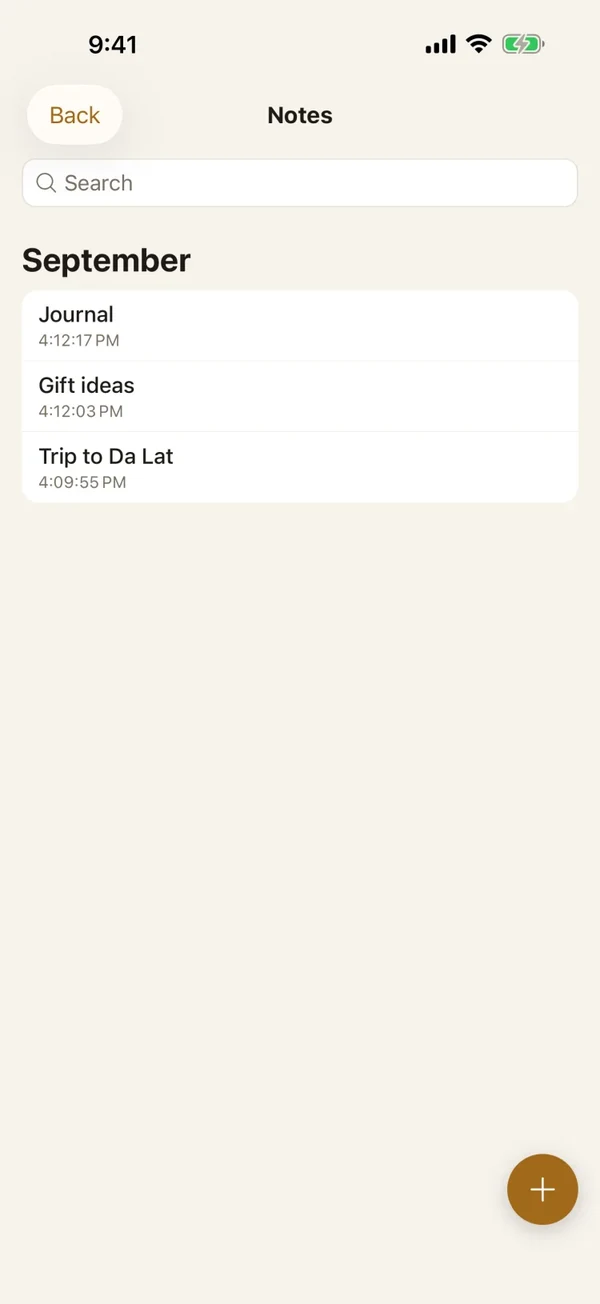
Know the limits before you rely on it. The first line of a locked note stays visible in the list, so give it a neutral title such as “Personal”. Search only finds locked notes by title. Some notes cannot be locked at all, such as shared ones. How to lock notes on iPhone with a password or Face ID has the steps and what to do if you forget the password.
How does Lockboxy keep a journal?
Lockboxy is an iPhone app that keeps notes, photos, files and passwords in one encrypted vault. Everything is encrypted on the device with AES-256, behind a passcode of its own, with Face ID as an option. There is no account and no server of ours in between.
- Private Notes are plain text: a title and a body, saved as you type, with no Save button to forget.
- The Notes list groups entries by month and year, so a year of journalling is easy to browse. Search in the Notes list looks at titles, so give each entry a date or a short name. Lockboxy Premium adds vault search that also looks inside note text.
- The vault locks itself again after 1 minute without a touch, so a phone left open on the table does not stay open.
- Photos you want to keep with a day's entry can go in the vault's Media area instead of staying in Photos. How to hide photos on iPhone shows how.
- Deleting a note sends it to the Recycle Bin first, so a slip of the finger does not lose a page.
- Notes are unlimited on the free plan. The free plan's limits (30 photos or videos, 10 files) apply to Media and Files, not to journal entries.
Which option should I choose?
- You want the simplest daily habit, and the main worry is a stranger: the Journal app with Lock Journal on.
- You write a little and want it in the Notes you already use: a locked note with a custom password.
- Someone you live with knows your iPhone passcode, you write often, or you add photos and files: a vault with its own passcode. See Lockboxy vs locked notes on iPhone for a longer comparison.
You can also combine them: write in one place and keep the photos and documents in the vault.
What can still give a private journal away?
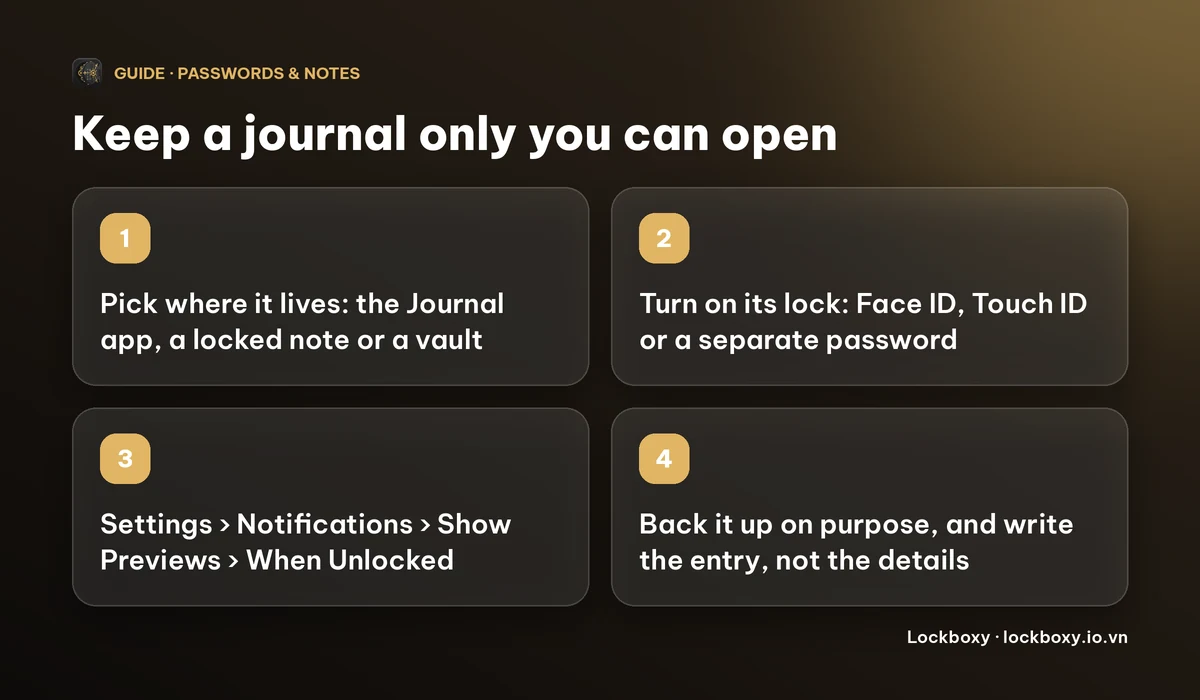
- Notifications. A reminder that says “Write your entry about…” can show on the Lock Screen. Set Settings → Notifications → Show Previews to When Unlocked, or keep reminder text neutral. What can someone do with your locked iPhone? lists the other Lock Screen items.
- The App Switcher. A journal app's last screen can appear in its preview. How to hide private content in the iPhone App Switcher explains what helps.
- Backups. Journal and Notes entries can sync to iCloud with your Apple account, which anyone with access to that account can also reach. Lockboxy does not upload your vault to us; Premium lets you export an encrypted backup to a place you choose.
- A phone that is already unlocked. If you lend it, see how to lend your iPhone without exposing your photos.
- Losing the key. If you forget a custom Notes password or the vault passcode, nobody can recover the entries for you. Lockboxy Premium has an optional Recovery Key you generate in advance.
What does it cost and what are the limits?
- The Journal app, locked notes and every setting above are free and built into iOS.
- Lockboxy's free plan holds up to 30 photos or videos and 10 files, with unlimited notes. Premium removes those limits and the ads. Prices are on the Premium page and the app shows the exact price before you buy.
- Menu names change between iOS versions. If a step does not match your screen, use Search in Settings.
Frequently asked questions
How do I keep a private journal on my iPhone?
Use an app with its own lock: turn on Lock Journal in the Journal app, lock a note with a custom Notes password, or write in an encrypted vault such as Lockboxy. Then set notification previews to When Unlocked.
Can I put a password on the Journal app?
Yes. Turn on Lock Journal in Settings (Settings → Apps → Journal on recent iOS versions). It asks for Face ID, Touch ID or your passcode before entries open.
Can someone who knows my iPhone passcode read my journal?
In the Journal app, yes, because it uses the same passcode. A custom Notes password or a vault with its own passcode keeps them out.
Are Lockboxy notes searchable?
The Notes list search finds notes by title. Lockboxy Premium adds vault search, which also looks inside the text of your notes.
What happens if I forget the passcode?
For Lockboxy, nobody can open the vault unless you set a Recovery Key (Premium) in advance. A forgotten custom Notes password is also hard to recover, so choose one you will remember.
Want a private place with its own passcode?
Lockboxy encrypts photos, videos, files and notes on your device, behind a passcode separate from your phone's. No account, no server.
Get Lockboxy on the App StoreMore guides
- How to lock notes on iPhone with a password or Face ID
- Lockboxy vs locked notes on iPhone: which is better for private notes?
- How to hide private content in the iPhone App Switcher
- How to lend your iPhone without exposing your photos
- How to hide photos on iPhone (and what “hidden” really protects)
- How to lock apps on iPhone: Face ID lock, hiding apps and older-iOS workarounds
- How to store photos of your ID safely on your phone
- How to permanently delete photos on iPhone (and every copy you forgot)
- How to store passwords safely on your phone
- How to store a seed phrase safely (and what not to do)
- What to do before sending your iPhone for repair
- How to take photos that don't save to your iPhone camera roll
- How to scan documents on iPhone (no app needed) and store them safely
- How to store 2FA backup codes safely (and where not to)
- How to handle sensitive screenshots on iPhone (bank transfers, OTPs, IDs)
- How to keep voice recordings private on iPhone
- How to stop iPhone photos syncing to your iPad and Mac
- What to do when your iPhone is lost or stolen
- How to erase your iPhone before selling it
- Lockboxy vs the iPhone Hidden album: which should you use?
- Phone privacy for livestream sellers: keep customer data off the stream
- Keeping client documents private: a phone routine for real-estate agents
- How to hide contacts on iPhone: what really works
- How to tell if someone went through your iPhone
- How to move private photos to a new iPhone
- How to password protect a folder on iPhone
- How to remove location data from photos on iPhone before sharing
- How to store bank card details safely on your phone
- How to find and share a saved Wi-Fi password on iPhone
- How to stop unwanted photos from showing up in Memories and Featured Photos on iPhone
- How to control which photos an app can access on iPhone
- How to find the Hidden album on iPhone (and why it may be missing)
- How to show someone a photo on your iPhone without them swiping to the others
- How to stop WhatsApp saving photos to your iPhone camera roll
- How to stop photos from Messages showing up in your iPhone Photos app
- How to password protect a video on iPhone
- How to password protect a PDF on iPhone
- What does Private Browsing on iPhone actually hide?
- Where do downloads go on iPhone? How to find, move and delete them
- How to back up your iPhone photos without iCloud
- How to stop photos from showing up in iPhone Spotlight search
- What can someone do with your locked iPhone? How to limit Lock Screen access
- Why is there a green or orange dot on my iPhone? How to see which app is using your camera or microphone
- How to stop unwanted AirDrops on iPhone
- How to keep medical documents and insurance cards private on iPhone
- How to change or remove the camera button on the iPhone Lock Screen
- Forgot the passcode of your private photo vault app? What you can and can't recover
- What happens to your iPhone photos and private data when you die? How to set up a Legacy Contact
- You copied a password on iPhone: who can see your clipboard, and how to stop apps pasting from it
- What is Stolen Device Protection on iPhone, and should you turn it on?
- Where to store PIN codes and door codes on iPhone
- How to share a password with family on iPhone without sending it in a chat
- Where to store your Apple Account recovery key (and what if you lose it)
- How to see saved passwords on iPhone (and what to do when one is missing)
Questions about how Lockboxy works? Read the FAQ