
What does Private Browsing on iPhone actually hide?
Published October 20, 2026
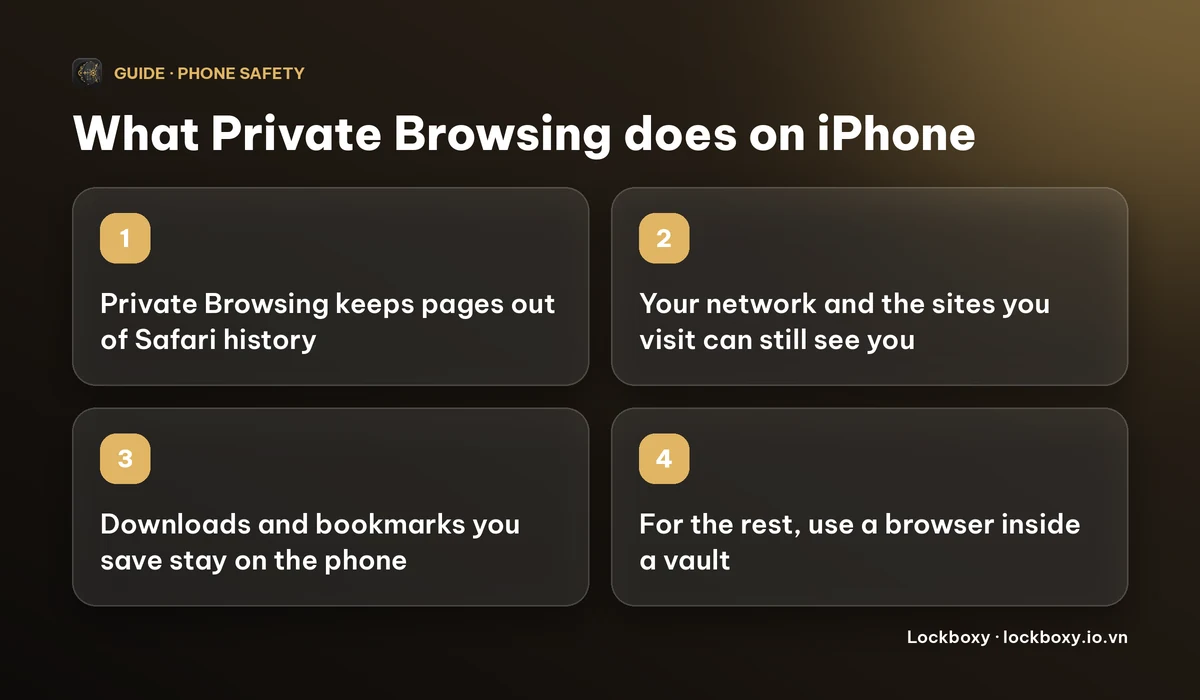
Private Browsing in Safari stops your iPhone from remembering the pages you visit: they are left out of history, and Safari does not keep cookies or AutoFill details from that session. It does not hide you from the Wi-Fi network, your carrier or the websites themselves.
This guide explains what it covers, the leftovers people forget (downloads, open tabs, saved bookmarks), how to lock private tabs, and what to use when you want browsing kept apart from the rest of your phone. Menu names depend on your iOS version.
How do I turn on Private Browsing on iPhone?
- 1Open Safari and tap the tabs button (two overlapping squares).
- 2Tap the tab group name at the bottom, then choose Private.
- 3Tap + to open a private tab. The address bar turns dark to show you are in Private Browsing.
To leave it, open the tabs button again, choose the tab group name and pick a normal group. Private tabs stay open until you close them, so close them before you hand the phone over.
What does Private Browsing hide, and what can still see you?
- It hides the session from other people using your phone: pages are not added to Safari history, and cookies and AutoFill information from that session are not kept.
- It does not hide your activity from the Wi-Fi network you are on. The owner of that network, such as a workplace, school or café, may see which sites you connect to.
- It does not hide your activity from your internet provider or mobile carrier, and it does not stop the websites you visit from seeing your IP address.
- It does not make you anonymous. If you log in to a site, that site knows who you are in private mode too.
A VPN moves who can see your traffic from the network to the VPN company; it is a separate tool, not part of Private Browsing.
What do people forget when they use Private Browsing?
- Files you download in a private tab are kept in the Downloads folder in the Files app, and photos you save go to Photos. Private Browsing does not remove them.
- Bookmarks and Reading List items you add stay in Safari.
- Open private tabs are still there for the next person who unlocks your phone, unless they are locked or closed. Recent iOS versions can require Face ID or your passcode to reopen private tabs: look for the Safari settings under Settings, then Apps, then Safari (older versions list Safari directly in Settings), and the option to require Face ID to unlock Private Browsing.
- Other apps keep their own records. A search in another app, a message you send and a screenshot you take are not covered. See how to handle sensitive screenshots on iPhone.
How do I keep browsing apart from the rest of my phone?
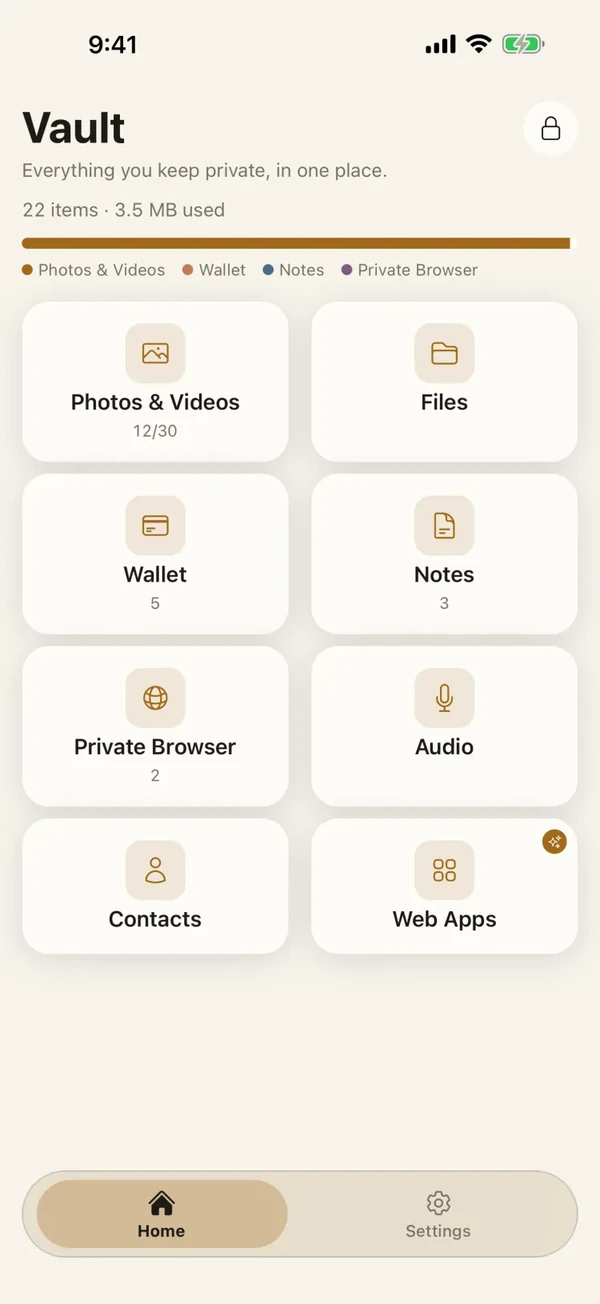
Lockboxy is an iPhone app whose vault includes a Private Browser tab. It is a browser inside the vault, so it opens only after you unlock the vault with its passcode.
- 1Open Lockboxy, unlock the vault and open the Private Browser tab.
- 2Type a web address or a search phrase and go.
- 3Pages you visit are recorded in a Recent list inside the vault, encrypted like the rest of it. Open the history screen and use Clear History to delete every entry for good; it does not go to the Recycle Bin. The list keeps at most 200 visits and drops the oldest.
- 4A file you download from a page is saved into the vault's Files area, encrypted, not into your iPhone's Downloads folder. Downloads from sites that need you to be logged in may fail.
- 5The browser asks the web view not to keep cookies and clears its cache and history whenever you leave the screen or the vault locks.
Bookmarks you save in the Private Browser live in the vault too, not in Safari. It still needs an internet connection and it does not hide anything from your network, carrier or the sites you visit, exactly as with Private Browsing. Its job is keeping the record off your phone's normal places. How to tell if someone went through your iPhone covers the other places a person might look.
What does it cost and what are the limits?
- Private Browsing in Safari is free and built in.
- Files you download into Lockboxy count towards the Files limit: the free plan holds up to 10 files and Premium removes that limit. Prices are on the Premium page and the app shows the exact price before you buy.
- If you forget the vault passcode and did not set a Recovery Key (Premium), nobody can open the vault, including us, so the browsing history in it would be lost too.
- Apple can rename menus between iOS versions. If a step does not match your screen, use Search in Settings.
Frequently asked questions
Does Private Browsing on iPhone hide my history from other people?
Yes, from people who use your phone: the pages are not added to Safari history. It does not hide the visit from the network, your carrier or the website.
Can my Wi-Fi owner see what I browse in Private Browsing?
They may see which sites you connect to. Private Browsing only changes what your iPhone keeps, not what travels over the network.
Are files I download in Private Browsing deleted afterwards?
No. Downloads stay in the Downloads folder of the Files app, and saved photos stay in Photos, until you delete them.
How do I stop people opening my private tabs?
Close them when you are done, and on recent iOS versions turn on the Safari setting that requires Face ID or your passcode to unlock Private Browsing.
Does Lockboxy's Private Browser make me anonymous?
No. Websites, your network and your carrier can still see the connection. It keeps your history, bookmarks and downloads inside the encrypted vault instead of Safari.
Want a private place with its own passcode?
Lockboxy encrypts photos, videos, files and notes on your device, behind a passcode separate from your phone's. No account, no server.
Get Lockboxy on the App StoreMore guides
- How to tell if someone went through your iPhone
- How to lend your iPhone without exposing your photos
- How to handle sensitive screenshots on iPhone (bank transfers, OTPs, IDs)
- How to store passwords safely on your phone
- Where do downloads go on iPhone? How to find, move and delete them
- How to hide photos on iPhone (and what “hidden” really protects)
- How to lock apps on iPhone: Face ID lock, hiding apps and older-iOS workarounds
- How to store photos of your ID safely on your phone
- How to permanently delete photos on iPhone (and every copy you forgot)
- How to lock notes on iPhone with a password or Face ID
- How to store a seed phrase safely (and what not to do)
- What to do before sending your iPhone for repair
- How to take photos that don't save to your iPhone camera roll
- How to scan documents on iPhone (no app needed) and store them safely
- How to store 2FA backup codes safely (and where not to)
- How to keep voice recordings private on iPhone
- How to stop iPhone photos syncing to your iPad and Mac
- What to do when your iPhone is lost or stolen
- How to erase your iPhone before selling it
- Lockboxy vs the iPhone Hidden album: which should you use?
- Lockboxy vs locked notes on iPhone: which is better for private notes?
- Phone privacy for livestream sellers: keep customer data off the stream
- Keeping client documents private: a phone routine for real-estate agents
- How to hide contacts on iPhone: what really works
- How to move private photos to a new iPhone
- How to password protect a folder on iPhone
- How to remove location data from photos on iPhone before sharing
- How to store bank card details safely on your phone
- How to find and share a saved Wi-Fi password on iPhone
- How to stop unwanted photos from showing up in Memories and Featured Photos on iPhone
- How to control which photos an app can access on iPhone
- How to find the Hidden album on iPhone (and why it may be missing)
- How to show someone a photo on your iPhone without them swiping to the others
- How to stop WhatsApp saving photos to your iPhone camera roll
- How to stop photos from Messages showing up in your iPhone Photos app
- How to password protect a video on iPhone
- How to password protect a PDF on iPhone
- How to hide private content in the iPhone App Switcher
- How to back up your iPhone photos without iCloud
- How to stop photos from showing up in iPhone Spotlight search
- What can someone do with your locked iPhone? How to limit Lock Screen access
- Why is there a green or orange dot on my iPhone? How to see which app is using your camera or microphone
- How to keep a private journal on iPhone
- How to stop unwanted AirDrops on iPhone
- How to keep medical documents and insurance cards private on iPhone
- How to change or remove the camera button on the iPhone Lock Screen
- Forgot the passcode of your private photo vault app? What you can and can't recover
- What happens to your iPhone photos and private data when you die? How to set up a Legacy Contact
- You copied a password on iPhone: who can see your clipboard, and how to stop apps pasting from it
- What is Stolen Device Protection on iPhone, and should you turn it on?
- Where to store PIN codes and door codes on iPhone
- How to share a password with family on iPhone without sending it in a chat
- Where to store your Apple Account recovery key (and what if you lose it)
- How to see saved passwords on iPhone (and what to do when one is missing)
Questions about how Lockboxy works? Read the FAQ